Table of Contents
- Key Takeaways
- Our Recommendation
- How to Choose the Best MCP Gateway: Key Decision Criteria
- Integrating with Your Agentic Framework
- Decision Matrix: Which Gateway Fits Your Use Case?
- The Top MCP Gateways for 2026: A Detailed Comparison
- At-a-Glance: MCP Gateway Feature Comparison
- Obot vs Composio: Which MCP Gateway Should You Choose?
- The DIY Trap: Why Building Your Own MCP Gateway Is a False Economy
- Conclusion: Making the Right Choice for Your Agentic Architecture
- Frequently Asked Questions
- What is the difference between an MCP gateway and an API gateway?
- Are there open-source MCP gateways for self-hosting and full data control?
- How does an MCP gateway handle per-user identity and OAuth?
- What is a rug pull in the context of MCP?
- Should I build my own MCP gateway?
- How do I evaluate an MCP gateway for enterprise use?

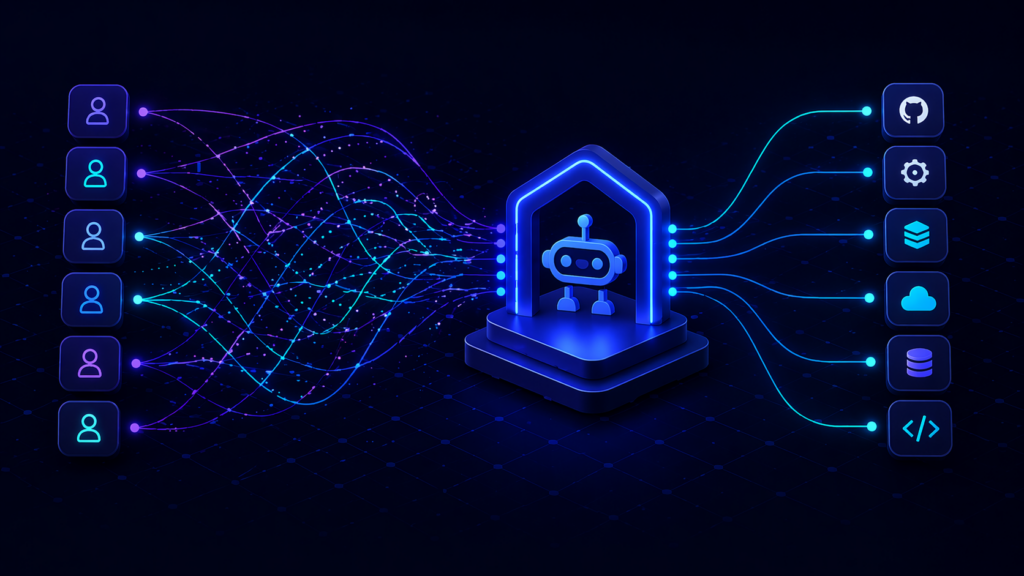
AI agents have moved from demos to production, and the wiring between those agents and the tools they need has become the hardest engineering problem in the stack. Connect every agent directly to every tool and you end up with the N×M integration problem: every agent handling its own credentials, its own policies, and its own failure modes for every tool.
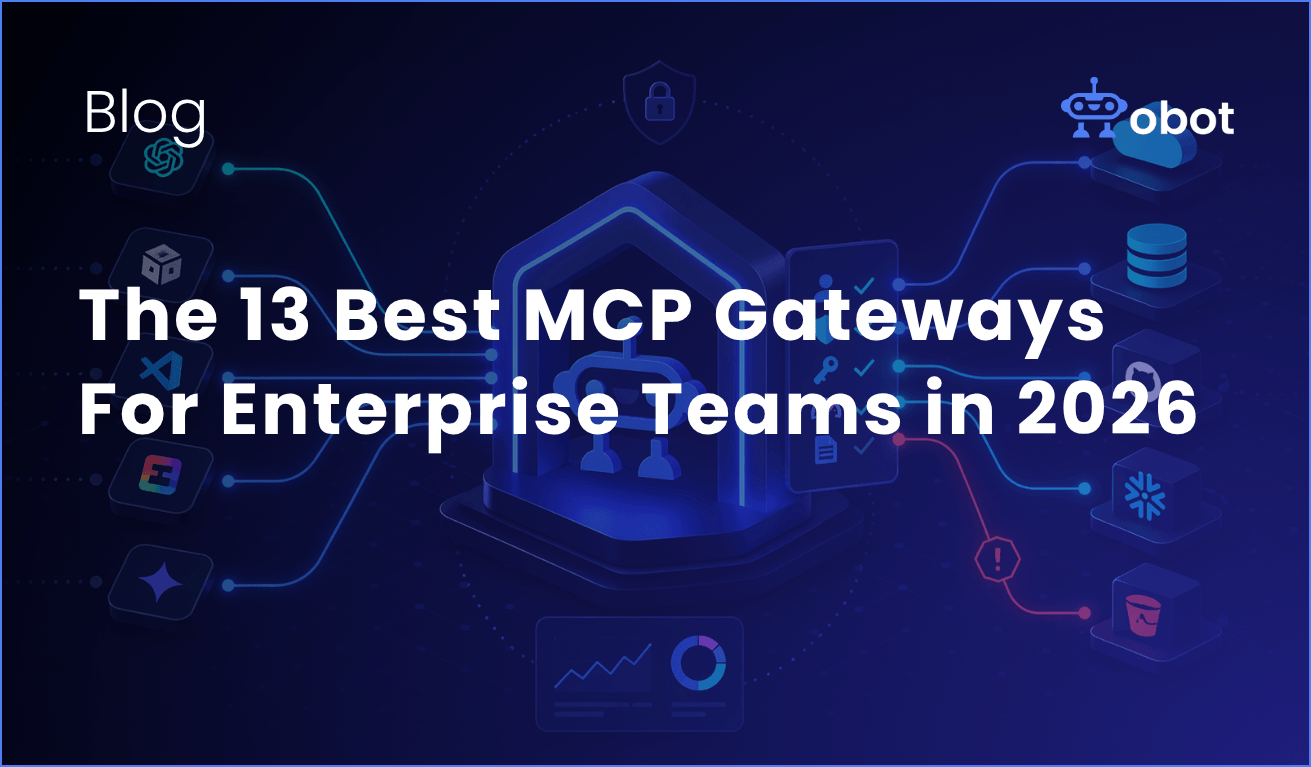
The Model Context Protocol (MCP) has become the standard wire format between agents and tools, but the protocol alone does not solve production-grade problems: authentication, authorization, auditing, rate limiting, credential governance, and discovery of approved servers. That’s what an MCP Gateway is for. It sits between your agents and your tools as a control plane that enforces policy, brokers credentials, and gives IT a single place to govern access.
This article compares the 13 MCP gateways we consider serious contenders in 2026. We evaluated each on product architecture, deployment flexibility, catalog and discovery, identity, policy model, and how well it handles the specific trust issues that the MCP protocol introduces. If you want the short answer, skip to the recommendation. If you want the analysis, read on.
Key Takeaways
- What is an MCP Gateway? A control plane that sits between agents and tools, enforcing authentication, authorization, and policy for every tool call. It solves the N×M problem and gives enterprise IT a single place to govern MCP adoption.
- What separates a good gateway from a proxy? Real MCP gateways offer centralized identity, multi-role RBAC, a curated server catalog for self-service, per-user OAuth passthrough, policy-as-code, and MCP-specific threat handling (rug-pull protection, tool poisoning, cross-server shadowing).
- Deployment choice matters. Some teams need managed SaaS, some need on-premises or VPC deployment, and some need both at different times. A gateway that forces one model is a gateway that eventually stops fitting.
- The best choice for most teams: Obot is purpose-built for MCP governance, ships open-source, can run self-hosted on Kubernetes or Docker or consumed as a managed service, and includes a built-in catalog, composite server support, and multi-role RBAC out of the box.
- Specialized alternatives for narrow needs: Lunar.dev MCPX for risk sandboxes and hardened tool variants; MCP Manager by Usercentrics for teams already standardized on Usercentrics; Kong, Portkey, and TrueFoundry if you’re already invested in their broader platforms; AWS Bedrock AgentCore Gateway only if you are committed to AWS.
- Avoid the DIY trap. Building your own MCP gateway looks straightforward until you get to per-user OAuth token lifecycles, rug-pull detection, catalog governance, and policy-as-code. Those are the pieces that make a gateway enterprise-ready.
Our Recommendation
For the 90% of enterprise teams that want MCP governance without vendor lock-in or a multi-month integration project, Obot is the strictly better choice. It’s open-source, runs on your infrastructure (Kubernetes or Docker) or as a managed service, and ships with the features that matter for production: curated MCP catalog, composite servers, RBAC, IdP integration, and GitOps-compatible admin. Reach for a specialized gateway only when you have a very specific requirement that Obot doesn’t cover, like a risk sandbox, deep iPaaS recipe library, or AWS-native identity.

How to Choose the Best MCP Gateway: Key Decision Criteria
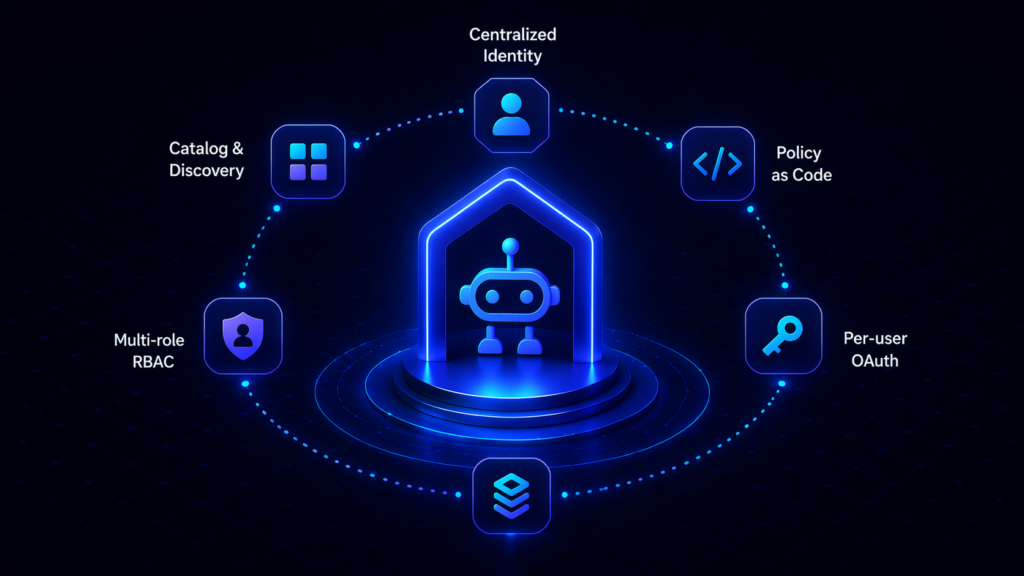
Every production MCP deployment should be evaluated against the same set of criteria. The weights will differ by team, but the categories don’t.
Deployment model. Does the gateway run as managed SaaS, in your VPC, on your Kubernetes cluster, or air-gapped? A gateway that only runs one way is a gateway that eventually fails a compliance review. Favor products that let you start managed and graduate to self-hosted (or vice versa) without rewriting.
Openness. Is the code open-source and auditable? Can your security team inspect the detector stack, the policy engine, and the request path? Closed-source gateways make you dependent on the vendor’s judgment for every rule change and every CVE response.
Catalog and discovery. Does the gateway include a curated, searchable directory of approved MCP servers that employees can browse and self-serve against? Or is discovery an operator problem that every user solves individually? A self-service catalog is what turns “we have a gateway” into “shadow MCP is gone.”
Identity and policy. Does the gateway federate with your IdP (Okta, Entra, SAML, SCIM)? Does it enforce multi-role RBAC? Does it pass user identity all the way down to the SaaS the agent is calling, or does it stop at the gateway and let a shared bot identity take over for the last hop? Audit posture collapses if identity stops at the wrong boundary.
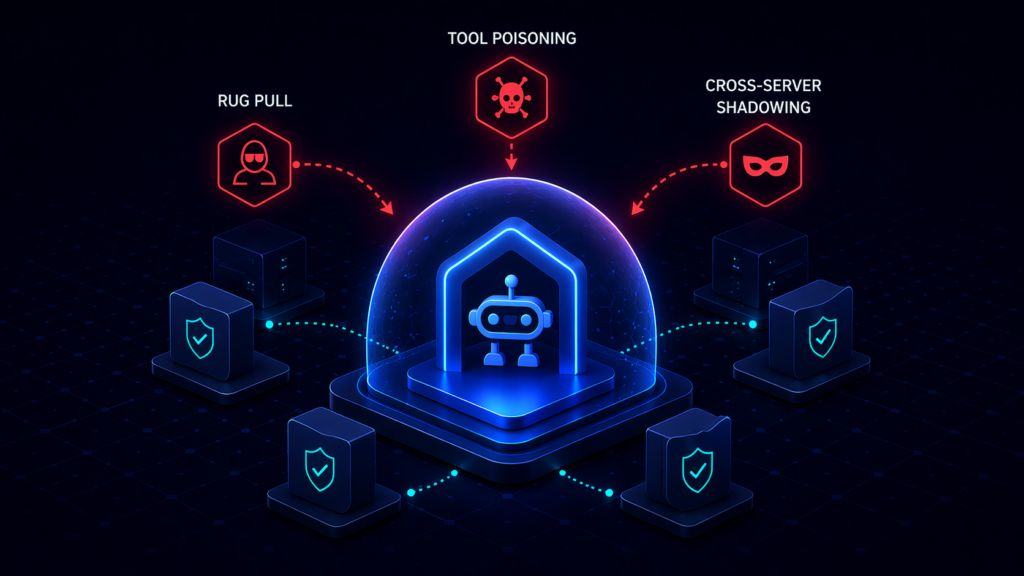
MCP-specific threats. Does the gateway handle protocol-level risks that generic API gateways don’t: tool redefinition after approval (rug pull), tool poisoning through prompt injection, cross-server shadowing where a malicious server impersonates a trusted one? MCP introduces attack surface that legacy infrastructure does not cover.
Server hosting and composition. Can the gateway host MCP servers directly when no remote endpoint exists, or does it only proxy? Can administrators assemble multiple underlying servers into a single logical endpoint, or must every user discover and connect to each server individually? The composition model determines how complex your end-user experience has to be.
Operational maturity. Rate limiting. Circuit breaking. Request retries. Observability via OpenTelemetry. A gateway that skips these is a gateway you will re-implement in production.
Integrating with Your Agentic Framework
An MCP gateway is not a standalone system. It must fit into the frameworks your teams use to build agents — LangChain, CrewAI, LlamaIndex, Anthropic’s SDK, OpenAI’s SDK, Claude Code, Cursor, and others. The integration pattern is the same across every gateway worth considering: the agent points its tool-loading configuration at the gateway’s endpoint rather than at individual MCP servers. The agent asks the gateway what tools are available, receives a catalog scoped to that user’s permissions, and invokes tools through the gateway.
That single indirection is the whole point. The gateway handles credential injection, policy enforcement, and observability. The agent handles reasoning. Neither one carries the other’s complexity.
Decision Matrix: Which Gateway Fits Your Use Case?
| Use Case / Priority | Best Fit | Why |
|---|---|---|
| Best choice for most teams | Obot | Open-source, self-hostable on Kubernetes or Docker, managed service also available, built-in curated catalog, composite servers, multi-role RBAC, IdP integration. Purpose-built for MCP governance rather than an add-on to something else. |
| Managed SaaS + 500+ pre-built SaaS connectors | Composio | Extensive managed toolkit library for agents that need breadth on common SaaS out of the box. Not an MCP governance plane over arbitrary servers. |
| Full MLOps + MCP in one platform | TrueFoundry | Strong fit for organizations that want model training, GPU orchestration, LLM routing, and MCP governance under one vendor and are willing to operate the full platform. |
| Risk sandbox and hardened tool variants | Lunar.dev MCPX | Open-source core (MIT), with a pre-production sandbox for evaluating MCP servers and the ability to rewrite tool descriptions and constraints before exposing them to agents. |
| Consent/governance shop already standardized on Usercentrics | MCP Manager | Governance-first positioning from a consent-management vendor; fits teams already in the Usercentrics ecosystem. |
| AI coding assistant governance (Cursor/Claude Code/Copilot) | MintMCP | Narrowly optimized for governing the AI-coding-assistant use case; endorsed by Cursor for enterprise rollouts. |
| Existing Kong API platform | Kong AI Gateway | Consolidation play for organizations already running Kong for REST/gRPC/Kafka; MCP is a feature inside the broader platform. |
| Existing Portkey LLM gateway | Portkey | Adds an MCP module on top of a mature LLM gateway; makes sense when MCP traffic should sit next to LLM traffic in one dashboard. |
| AWS-committed orgs | AWS Bedrock AgentCore Gateway | Inherits IAM, Cognito, CloudTrail. Practical if everything else is already in AWS and you accept AWS-only deployment. |
| Azure-committed orgs with open-source preference | Microsoft MCP Gateway | Open-source Kubernetes gateway tightly coupled to Entra ID and AKS; adaptation cost is high outside Azure. |
| Docker Desktop–native teams | Docker MCP Gateway | Strong local developer experience; not designed as an enterprise multi-user control plane. |
| Threat detection layered on top of other infrastructure | Operant MCP Gateway | Security-first commercial product with a catalog and real-time detection; lives next to, not instead of, other gateway choices. |
| Arcade-specific tool runtime | Arcade | Purpose-built as a per-user OAuth tool runtime rather than a gateway; does not govern MCP servers authored elsewhere. |
| SSO-centric MCP IAM approach | Runlayer | Treats MCP governance as an IAM problem; product detail is demo-gated so architecture review happens with sales in the room. |

The Top MCP Gateways for 2026: A Detailed Comparison
The MCP gateway market has matured quickly. Each of the products below takes a different architectural bet, and the right answer for your team depends on the bets you’re willing to agree with.
Obot
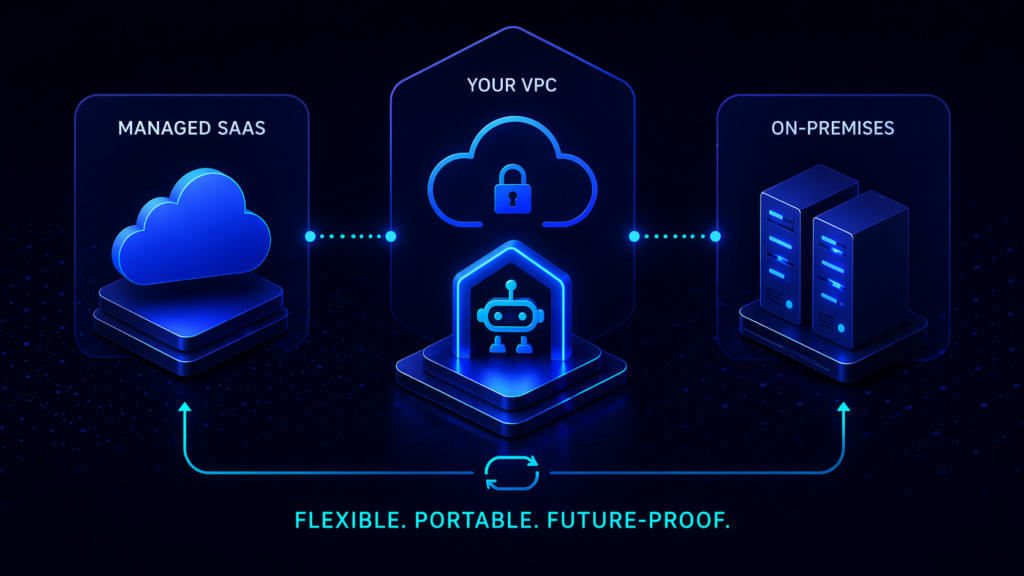
- Best For: Enterprise teams that want a purpose-built MCP control plane they can run themselves, consume as a managed service, or move between the two as they scale.
- Overview: Obot is an open-source MCP platform that bundles a gateway, a catalog, server hosting, and a chat client into one deployment. It ships under the MIT license (GitHub), deploys on Kubernetes or Docker, and runs as a managed service for teams that prefer not to operate it themselves. Obot is the product that a platform team would build for MCP if they had eighteen months to spend on it — and since it’s open-source, they don’t have to.
- Key Features:
- Built-in MCP Catalog. A curated, searchable directory of approved MCP servers with live documentation, capabilities, and IT-verified trust levels (docs). Employees discover and connect to tools from the catalog rather than pasting URLs from blog posts.
- Hybrid server hosting. Obot can host MCP servers directly as Kubernetes containers, proxy remote servers, or combine both in a single deployment. STDIO-only servers become centrally governed remote services without rewriting.
- Composite MCP Servers. Administrators can combine multiple underlying servers into a single virtual server and select exactly which tools from each are exposed to which users. Users see one endpoint; admins control every surface.
- Multi-role RBAC. Admin, Owner, Power User, Auditor, and User roles scoped per catalog, per server, and per tool.
- Enterprise IdP integration. Okta and Microsoft Entra in the Enterprise Edition, plus GitHub and Google for smaller deployments. SSO works, full audit logs exist, and access follows the user rather than the device.
- GitOps-compatible admin. Server configuration, catalog entries, and policies can be managed as code alongside the rest of your infrastructure.
- Deployment: Self-hosted on Kubernetes or Docker, or consumed as a managed service. Same product either way.
- Pros & Cons:
- Pro: Open-source and auditable. Nothing is hidden behind a “book a demo” button.
- Pro: Catalog plus composite servers plus hybrid hosting is a combination no other product in this list ships out of the box.
- Pro: Deployment flexibility means you can start managed and move to self-hosted (or the reverse) without changing products.
- Con: Running Obot yourself on Kubernetes means you own the Kubernetes operations. Teams that want zero infrastructure responsibility should take the managed service.
Composio
- Best For: Teams that want a managed integration platform with 500+ pre-built SaaS connectors exposed over MCP and are comfortable with those integrations staying inside Composio’s managed toolkit library.
- Overview: Composio is an agentic integration platform that exposes its managed tool library through an MCP surface. Its strength is breadth of SaaS coverage (Slack, GitHub, Jira, Linear, Stripe, and several hundred others) with unified OAuth handled centrally. Its framing positions it as a default MCP gateway, but architecturally it’s closer to a managed iPaaS that speaks MCP.
- Key Features:
- 500+ managed SaaS integrations. Composio operates the OAuth flows, token refresh, and schema updates for a large catalog of popular applications.
- Unified authentication layer. A single auth surface across integrated SaaS so developers don’t manage per-service credentials.
- Developer-first SDKs. Python and TypeScript SDKs optimized for LangChain, CrewAI, and other agent frameworks.
- Deployment: Managed SaaS by default. On-premises and BYOC are available only at the Enterprise tier.
- Pros & Cons:
- Pro: The managed toolkit library accelerates time-to-first-agent on common SaaS.
- Pro: Unified OAuth is a real developer-experience win.
- Con: Composio hosts its own managed toolkits; it does not govern arbitrary community or internal MCP servers, so it’s not a gateway over your full MCP footprint.
- Con: On-premises deployment is Enterprise-only, which limits options for data-residency-sensitive teams.
- Con: The “tools that learn” model trains tool behavior on aggregate usage across customers, and the public docs do not fully specify the data-isolation boundary — worth confirming before routing regulated data through it.
TrueFoundry
- Best For: Enterprises consolidating model training, GPU orchestration, LLM routing, and MCP governance under one vendor and willing to operate the full MLOps platform to get there.
- Overview: TrueFoundry is an MLOps and agentic AI platform with an MCP Gateway module that sits alongside model serving, fine-tuning, LLM routing, and agent deployment. For a platform team that wants one vendor across the whole AI lifecycle and has the headcount to operate it, the integration story is tight. For a team that only needs MCP governance, it’s substantially more product than the problem requires.
- Key Features:
- Unified AI platform. Model training, deployment, LLM routing, agent hosting, and MCP governance in one control plane.
- GPU orchestration. Fractional GPU support and autoscaling for self-hosted model workloads running alongside MCP traffic.
- On-prem and air-gapped deployment. VPC, on-premises, and multi-cloud options suitable for regulated industries.
- Deployment: Self-hosted (VPC, on-prem, air-gapped) or managed.
- Pros & Cons:
- Pro: Depth across the AI stack is real; the MCP module genuinely integrates with the rest of the platform.
- Pro: The deployment flexibility is strong for regulated industries.
- Con: The MCP gateway page documents auth, RBAC, and observability, but does not detail MCP-specific threat coverage (rug pull, tool poisoning, cross-server shadowing).
- Con: Per Composio’s own framing, customers onboard most MCP servers in-house rather than consuming a curated catalog. The platform’s registry is operator-managed.
- Con: Significant operational surface area. Adopting TrueFoundry to get an MCP gateway means adopting the rest of TrueFoundry too.
Lunar.dev MCPX
- Best For: Organizations that want an open-source MCP control plane with strong pre-production risk evaluation and the ability to harden tool variants before they reach agents.
- Overview: MCPX is Lunar.dev’s MCP gateway. The core is open-source under MIT, with an Enterprise tier that adds hosted deployment, IdP integration, automated risk scoring, and expanded governance. The product’s distinctive bet is pre-production validation: a sandbox that lets security teams test MCP servers for data exposure before approving them, plus the ability to create hardened tool variants by rewriting descriptions and constraining actions.
- Key Features:
- Risk evaluation sandbox. Test MCP server behavior in isolation before exposing it to agents.
- Hardened tool variants. Rewrite tool descriptions, limit parameters, and constrain actions to adapt third-party servers to internal compliance requirements without forking upstream code.
- Intent-aware access controls. Time-bound and context-aware permissions beyond static RBAC.
- Deployment: Open-source MCPX runs as a self-hosted Docker/Kubernetes deployment. The Enterprise tier adds hosted deployment and identity integrations.
- Pros & Cons:
- Pro: Open-source under MIT, so the core is auditable and forkable.
- Pro: The risk sandbox and tool-hardening features are genuinely unique.
- Con: The full governance feature set (DLP, deep telemetry, cost attribution) is positioned across MCPX plus the Lunar AI Gateway, which is two products to procure and integrate.
- Con: No end-user self-service catalog; discovery is admin-operated through configuration.
- Con: Identity provider integration and automated risk scoring are Enterprise-only per the Lunar comparison post, so open-source-only deployments give up meaningful enterprise functionality.
MCP Manager by Usercentrics
- Best For: Governance-first teams already standardized on Usercentrics that want MCP-specific threat protection alongside their existing consent-management stack.
- Overview: MCP Manager is a commercial MCP gateway from Usercentrics, a European consent-management vendor. Its positioning emphasizes MCP-specific threat prevention (rug pull, tool poisoning, anti-mimicry) and DLP integration via Microsoft Presidio.
- Key Features:
- MCP-specific threat detection. Rug-pull protection, anti-mimicry, and tool-poisoning detection as first-class features.
- Presidio-based PII detection. NLP-backed PII detection rather than regex.
- Enterprise IdP integration. SSO, SCIM, and RBAC on paid tiers.
- Deployment: SaaS cloud, self-hosted in VPC, or hybrid per their features page.
- Pros & Cons:
- Pro: Serious focus on MCP-specific attack vectors rather than generic API patterns.
- Pro: SSO, SCIM, and RBAC are available on the Business tier.
- Con: No open-source core; the detector stack is closed and unversioned. Customers cannot pin detector versions or benchmark false positives on their own traffic.
- Con: Explicitly supports shared credentials alongside per-user logins; when shared credentials are used, the audit trail shows the human at the gateway and a bot identity at the downstream SaaS.
- Con: Policy model is UI-only; no documented GitOps, policy-as-code, dry-run, or diffing workflow.
- Con: No curated starting MCP catalog — customers source, vet, and wire up every server themselves.
- Con: OpenTelemetry export is gated to the Business tier.
MintMCP
- Best For: Engineering organizations standardized on AI coding assistants (Cursor, Claude Code, Copilot) that need governance of that specific traffic pattern.
- Overview: MintMCP is a commercial MCP gateway optimized for the AI-coding-assistant use case. Its signature capability is taking STDIO-based MCP servers and hosting them as remote services with auth, logging, and compliance added automatically. It has a public partnership with Cursor, which makes it a natural pick for Cursor-standardized organizations.
- Key Features:
- STDIO-to-remote transformation. Automatically hosts STDIO servers as governed remote services.
- 10,000+ server catalog. The largest claimed catalog in the category.
- Cursor partnership. Endorsed by Cursor for enterprise rollouts.
- Deployment: Managed SaaS by default. On-premises is available “through direct contact” per the docs, not self-serve.
- Pros & Cons:
- Pro: Best-in-class for the specific use case of governing AI coding assistants at scale.
- Pro: STDIO-to-remote hosting reduces friction for the majority of the MCP ecosystem.
- Con: No open-source core; detector stack is closed and unversioned.
- Con: SaaS-hosted by default with on-prem gated behind a sales conversation, which rules it out for teams that need self-serve air-gapped or VPC deployment.
- Con: 10,000+ server catalog vetting methodology is not publicly documented.
- Con: Scope is narrow to the coding-assistant pattern; broader agentic deployments may find the platform undersized.
Portkey
- Best For: Teams already operating Portkey as an LLM gateway that want to add MCP traffic to the same control plane.
- Overview: Portkey started as an LLM gateway (routing, caching, cost tracking, guardrails across 250+ LLM providers) and has added an MCP Gateway module. For an organization already running Portkey for LLM governance, the consolidation story is meaningful. For organizations not already using Portkey, the MCP offering is a less mature feature on a platform whose primary identity lies elsewhere.
- Key Features:
- Unified LLM + MCP observability. Dashboard covers both LLM calls and MCP tool invocations in one view.
- Centralized credential brokering. Per-server OAuth and API-key management handled by the platform.
- Open-source self-hosted tier. The core platform has a self-hostable option.
- Deployment: Managed SaaS, self-hosted, or VPC.
- Pros & Cons:
- Pro: Real consolidation benefit if LLM spend is already running through Portkey.
- Pro: Compliance posture (SOC 2 Type II, ISO 27001, HIPAA) is explicitly documented.
- Con: The MCP product page does not document MCP-specific threat detection (rug pull, tool poisoning, cross-server shadowing).
- Con: The “MCP directory” is a read-only reference list, not a curated self-service catalog scoped per user.
- Con: No dedicated MCP pricing — the feature is bundled into general Portkey tiers, which makes MCP-specific cost modeling opaque at scale.
- Con: No documented composite-server construct or multi-role RBAC matrix specific to MCP.
Kong AI Gateway for MCP
- Best For: Enterprises already running Kong for API management that want to extend governance to MCP without introducing a new vendor.
- Overview: Kong’s MCP capability is a feature set inside the broader Kong AI Gateway, which also handles LLM traffic and the emerging agent-to-agent (A2A) protocol. The sell is platform consolidation for organizations that already operate Kong.
- Key Features:
- Unified gateway for REST, gRPC, Kafka, LLM, MCP, A2A. One control plane across traffic types.
- MCP Registry in Technical Preview. Dynamic tool discovery via the Konnect Labs registry.
- Mature cost controls. Token-based rate limiting, semantic caching, and per-team showback.
- Deployment: Managed, hybrid, dedicated cloud, or fully self-hosted.
- Pros & Cons:
- Pro: Consolidation value is real for existing Kong customers.
- Pro: Deployment flexibility covers everything from SaaS to air-gapped.
- Con: MCP pages emphasize standard API patterns; no documented rug-pull, tool-poisoning, or cross-server-shadowing detection specific to MCP.
- Con: MCP Registry is still in Technical Preview rather than GA.
- Con: The Plus tier includes 1M requests per month per control plane; each additional million is $200. Multi-agent MCP workloads push cost into enterprise-quote territory quickly.
- Con: MCP is one feature of a large platform. Configuration complexity is high if you only need MCP governance.
AWS Bedrock AgentCore Gateway
- Best For: Organizations fully committed to AWS that want MCP governance inside the same IAM, Cognito, and CloudTrail boundary as the rest of their workloads.
- Overview: AgentCore Gateway is a managed AWS service within the broader Bedrock AgentCore platform. It aggregates MCP targets, REST APIs, OpenAPI specs, Lambda functions, and Smithy models behind a single interface that agents can query. For AWS-native shops, the integration with existing identity and observability is tight.
- Key Features:
- Semantic search across tool definitions. Auto-generated embeddings power tool discovery within the gateway.
- Federated gateway model. One gateway can act as a target for another, supporting large-enterprise tool aggregation patterns.
- Consumption-based pricing. $0.000025 per authorization request plus $0.13 per 1,000 input tokens processed.
- Deployment: AWS-only managed service.
- Pros & Cons:
- Pro: Deep integration with IAM, Cognito, CloudTrail, and CloudWatch if you’re already running there.
- Pro: Consumption pricing is attractive at modest scale.
- Con: Not open-source. No on-premises or non-AWS option.
- Con: MCP-specific threat prevention (rug pull, tool poisoning, cross-server shadowing) is not part of the gateway’s security model.
- Con: No end-user self-service catalog; discovery uses synchronization APIs and IAM configuration rather than a curated UI.
- Con: Consumption pricing becomes hard to forecast once multi-step agents chain tool calls at production volume.
Microsoft MCP Gateway
- Best For: Azure-native teams that want an open-source Kubernetes gateway tightly coupled to Entra ID and the Azure deployment template.
- Overview: Microsoft’s MCP Gateway is an open-source reverse proxy and management layer for MCP servers on Kubernetes. It ships with an ARM template that provisions AKS, ACR, Application Gateway, and managed identity in a single deployment, with Entra ID OAuth and RBAC wired in.
- Key Features:
- Kubernetes-native. StatefulSets, headless services, and Helm deployment.
- Entra ID RBAC. OAuth 2.0 authentication and per-adapter
requiredRoles. - Dynamic tool routing. Register tools without redeploying the gateway.
- Deployment: Self-hosted on Kubernetes (AKS-optimized).
- Pros & Cons:
- Pro: Open-source and auditable, with a one-click Azure deployment path.
- Pro: Clean Entra ID integration for Azure-governed identities.
- Con: No built-in rate limiting, circuit breaking, or retry policy per the README.
- Con: No documented multi-tenant isolation model.
- Con: No MCP server catalog or registry for end-user discovery.
- Con: No horizontal scaling or high-availability guidance beyond “adjust for expected load.”
- Con: Azure-specific dependencies. Running on EKS, GKE, or bare metal means replacing Entra auth, the ARM template, and the Azure-specific observability path.
Docker MCP Gateway
- Best For: Container-native developer teams who already run Docker Desktop and want a strong local MCP experience.
- Overview: Docker’s MCP Gateway is an open-source Compose-first gateway that runs each MCP server as an isolated container. It ships with Docker Desktop and installs as a CLI plugin on any Docker Engine host. As a local developer tool, it is genuinely good. As an enterprise multi-user control plane, it is thin.
- Key Features:
- Container-per-server isolation. Each MCP server runs in its own sandbox with restricted network and filesystem access.
- OCI-based catalog. Curated server catalogs distributed through standard container registries.
- Interceptor pattern. Signature verification, secret scanning, and call logging apply uniformly across servers.
- Deployment: Docker Desktop or Docker Engine host, self-hosted.
- Pros & Cons:
- Pro: Container isolation is strong and familiar.
- Pro: Excellent local developer experience.
- Con: No documented gateway-level RBAC.
- Con: No integration with enterprise IdPs (Okta, Entra, SAML, SCIM) for gateway-side authorization.
- Con: No multi-tenant access control.
- Con: Single-process proxy; the README does not describe horizontal scaling or high availability.
- Con: No rate limiting, circuit breaking, or throttling.
Operant MCP Gateway
- Best For: Security-led organizations adding MCP-specific threat detection on top of existing gateway and API-security infrastructure.
- Overview: Operant is a commercial security-focused MCP gateway built around discovery, detection, and defense for MCP ecosystems. It covers MCP-specific attack vectors (prompt injection, jailbreak, tool poisoning, unauthorized access, data leakage) and integrates with enterprise compliance frameworks. Its natural position is alongside another gateway rather than as a replacement for one.
- Key Features:
- Real-time threat detection. MCP-specific attack vector coverage across multi-cloud and workstation environments.
- AI Non-Human Identity coverage. Attack surface that general-purpose API security tools do not address.
- OWASP LLM/AI threat mapping. Detections map to existing compliance frameworks.
- Deployment: Not clearly documented on the public product page; requires sales conversation.
- Pros & Cons:
- Pro: MCP-specific threat detection is credible and specific.
- Pro: SOC 2 Type II and Gartner recognition clear procurement hurdles.
- Con: No open-source core; the detection engine is closed, so customers cannot pin or inspect detector versions.
- Con: Does not replace broader API security, WAF, or SIEM tooling — it’s additive, not consolidating.
- Con: Public documentation does not disclose deployment specifics (self-hosted vs. VPC-dedicated vs. shared multi-tenant SaaS); security reviews require a sales conversation to progress.
Arcade
- Best For: Teams that want a managed per-user OAuth tool runtime for agents built against Arcade’s SDK.
- Overview: Arcade is an MCP runtime focused on per-user OAuth and “agent-optimized” tools. It operates a curated catalog of roughly 42 toolkits across ~8,000 underlying actions, with a proprietary Tool Development Kit for custom tools. Its value is for agents calling Arcade-hosted tools. It is not a gateway that governs MCP servers authored elsewhere.
- Key Features:
- Per-user OAuth runtime. Agents act with the end user’s identity rather than a service account.
- Curated toolkit library. ~42 toolkits covering common SaaS.
- Deployment to air-gapped. Uncommon in this category; unblocks regulated buyers who adopt the Arcade runtime.
- Deployment: Cloud, VPC, on-prem, or air-gapped.
- Pros & Cons:
- Pro: Per-user OAuth is the correct default for agent identity.
- Pro: OpenAI-compatible endpoint lowers migration cost for existing OpenAI SDK code paths.
- Con: Arcade is a runtime, not a governance plane. It does not inspect or control MCP traffic from Cursor, Claude Code, or other external clients running on user laptops.
- Con: Custom tools are written against the Arcade TDK (
arcade_tdk,ToolContext) rather than raw MCP, so tools authored on Arcade are Arcade-specific. Migration means rewriting connectors. - Con: Usage-based pricing (pricing page) meters user challenges, tool executions, scheduled executions, and worker-hours, which makes finance modeling hard at enterprise scale.
- Con: Catalog depth is uneven — some toolkits expose only a handful of actions, pushing teams back into custom-tool work.
Runlayer
- Best For: Organizations that treat MCP governance as an IAM problem and want conditional-access integration with Okta or Entra on top of an MCP gateway.
- Overview: Runlayer positions MCP governance as an identity and access problem: native SSO, SCIM, group sync, conditional access, and attribute-based access control across user, device, client, server, session, and request. The marketing is strong; the product documentation is demo-gated.
- Key Features:
- Native Okta/Entra SSO and SCIM. Provisioning and offboarding follow the IdP.
- Conditional and attribute-based access control. Policy scoped across multiple dimensions.
- 1Password integration. Machine credentials can be stored in 1Password and resolved at request time (1Password blog).
- Deployment: Self-hosted in VPC via Terraform/ECS or Helm/EKS, or multi-tenant SaaS.
- Pros & Cons:
- Pro: Strong identity primitives and MCP-specific threat detection.
- Pro: Broad client and server coverage lets Runlayer absorb existing MCP sprawl.
- Con: No open-source core; the detector stack is closed, unversioned, and not benchmarkable by customers.
- Con: Public site is marketing-heavy and documentation-light; primary CTA is “Book a demo,” which means product evaluation happens with sales in the room.
- Con: No published policy-as-code, GitOps, dry-run, or diffing workflow for policies that sit in every tool call’s critical path.
- Con: The “remix” and “subagent” constructs sit above the MCP spec, so artifacts authored with them are Runlayer-proprietary rather than portable MCP servers.
A Note on Public Registries: Smithery
It’s worth distinguishing production MCP gateways from public registries. Smithery is the leading public MCP registry: a directory of ~2,500 community-submitted MCP servers, useful for discovery and prototyping.
Smithery is not a gateway, not a control plane, and not an enterprise-grade source of truth. A core responsibility of production gateways like Obot, Operant, MCP Manager, and MintMCP is to prevent agents from connecting to unvetted public endpoints. Use Smithery to find servers; use a gateway to decide which ones reach your production environment.

At-a-Glance: MCP Gateway Feature Comparison
A comparison of MCP management platforms & agent infrastructure gateways
| Gateway | Best For | Deployment | Open Source | Built-in Catalog | MCP-Specific Threats | IdP Integration |
|---|---|---|---|---|---|---|
| Obot | Default for most teams | Self-hosted + managed | ✓ MIT | ✓ Curated | Governance-first | Okta, Entra (Enterprise) |
| Composio | Managed SaaS connectors | Managed; BYOC Enterprise | ✗ | Managed toolkits only | Not documented | Enterprise tier |
| TrueFoundry | Full MLOps + MCP | Self-hosted + managed | ✗ | Platform-managed registry | Not documented | Okta, Azure AD |
| Lunar.dev MCPX | Risk sandbox + hardened tools | Self-hosted (OSS) + Enterprise | ✓ MIT (core) | No self-service | Sandbox + hardening | Enterprise tier |
| MCP Manager | Governance + Usercentrics shops | SaaS, VPC, hybrid | ✗ | ✗ | ✓ Rug-pull, anti-mimicry | SSO, SCIM (Business) |
| MintMCP | AI coding assistant governance | Managed SaaS (on-prem on request) | ✗ | 10K+ server claim (vetting undocumented) | ✓ | SSO, SCIM |
| Portkey | Existing Portkey LLM gateway | Managed + self-hosted | ✓ (core) | Read-only directory | Not documented | Okta, Auth0 |
| Kong | Existing Kong customers | Managed, hybrid, self-hosted | ✓ (gateway core) | Technical Preview registry | Generic API patterns | Plugin-based |
| AWS AgentCore | AWS-committed orgs | AWS-only | ✗ | Semantic search (no end-user UI) | Not documented | IAM + Cognito |
| Microsoft MCP Gateway | Azure-native open source | Self-hosted (AKS) | ✓ | ✗ | Not documented | Entra ID |
| Docker MCP Gateway | Docker-native developers | Docker Desktop/Engine | ✓ | OCI-based | ✗ | ✗ |
| Operant | Additive MCP threat detection | Managed (sales-gated) | ✗ | Auto-discovery graph | ✓ | Enterprise IdP |
| Arcade | Per-user OAuth runtime | Cloud, VPC, on-prem, air-gapped | ✗ | Arcade toolkits only | N/A (runtime, not gateway) | SSO/SAML (Enterprise) |
| Runlayer | SSO-centric MCP IAM | Self-hosted VPC + SaaS | ✗ | IT-curated registry | ✓ | Okta, Entra (native) |
Compiled from public vendor documentation and marketing pages as of August 2026. “✗” indicates the capability is not offered; “Not documented” indicates the vendor doesn’t publicly detail this capability. Verify current details directly with each vendor before publishing.
Obot vs Composio: Which MCP Gateway Should You Choose?
Composio’s comparison article frames itself as the default MCP gateway for most teams. It isn’t. Composio is a managed integration platform with an MCP surface, and that framing matters when you start asking the questions an enterprise IT review will ask.
When Obot wins (most teams)
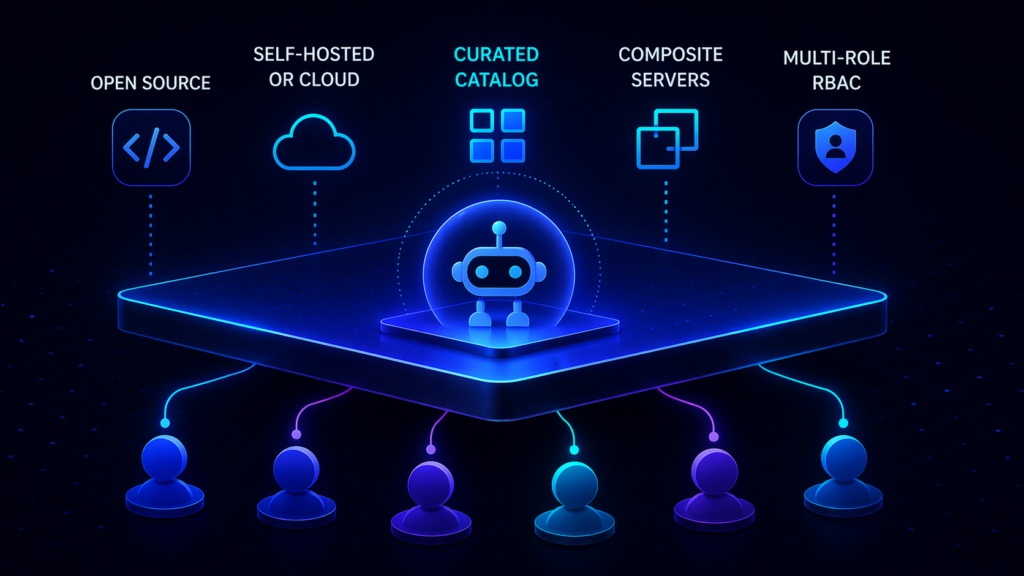
- You need to govern MCP servers you didn’t author. Obot operates as a control plane over any MCP server, including community servers and internal ones. Composio hosts its own managed toolkits and does not govern arbitrary external servers.
- You need flexibility on deployment. Obot runs self-hosted on Kubernetes, self-hosted on Docker, or as a managed service — your call, your timing, same product. Composio is managed-by-default with on-premises and BYOC restricted to the Enterprise tier.
- You need an end-user catalog. Obot ships a curated catalog with live documentation, capabilities, and IT-verified trust levels so employees self-serve. Composio is a managed toolkit library rather than an employee-facing discovery surface.
- You need composite servers and hybrid hosting. Obot can combine multiple servers into one logical endpoint and host MCP servers on demand inside your cluster. That is not part of Composio’s feature set.
- You care about open-source verifiability. Obot is MIT-licensed and auditable end to end. Composio’s integration platform is closed.
When Composio can make sense (narrow)
- You’re building an agent that needs 500+ pre-built SaaS connectors, you’re comfortable with those integrations being Composio-managed, and you don’t need to govern MCP servers outside that catalog.
- You’re fine with managed-only deployment for day zero and the Enterprise tier later if data residency becomes a requirement.
Our recommendation:
Unless your only need is a managed catalog of SaaS connectors exposed over MCP, Obot is the safer, more flexible path to production. You get purpose-built MCP governance plus the deployment choice to put the gateway exactly where your data needs to live.
The DIY Trap: Why Building Your Own MCP Gateway Is a False Economy
It’s tempting to write a thin reverse proxy and call it an MCP gateway. A few hundred lines of Go or Python, a couple of middleware layers for auth, and done. That proxy works for exactly one team doing exactly one use case until any of the following happens:
- A user logs in and the agent needs to act with that user’s identity at the downstream SaaS. Now you need per-user OAuth passthrough with token refresh, scope management, and credential isolation.
- A second team adopts MCP. Now you need multi-tenant isolation, per-team catalogs, RBAC, and admin UI.
- An MCP server changes its tool definition after approval (rug pull). You need detection and human-in-the-loop approval for tool-definition drift.
- A developer pastes a URL from a blog post into Cursor. You need shadow-MCP prevention, which requires an IT-sanctioned catalog that makes the approved path easier than the unapproved one.
- A regulator asks for an audit trail tying every tool call back to a named user. You need structured audit logs, retention policies, and an identity model that doesn’t stop at the gateway.
- A SaaS changes its API. You need schema versioning, tool-call regression tests, and graceful fallback.
- The gateway is in the critical path of every tool call. You need rate limiting, circuit breaking, retries, and a distributed runtime.
Each of those is a multi-month distributed-systems problem. The reason MCP gateways exist as products is that every enterprise team hits the same list, and no product team wants to be the one explaining to their CFO why they spent eighteen months rebuilding what was available off the shelf. Obot is open-source, which means you get the benefit of a DIY build (inspectable code, modifiable behavior, no license costs) without the cost of writing one.

Conclusion: Making the Right Choice for Your Agentic Architecture
MCP is going to be the protocol layer between agents and tools for the foreseeable future. That makes an MCP gateway essential infrastructure, not optional tooling. The question is which gateway fits your team’s deployment posture, identity stack, compliance needs, and appetite for operating something versus consuming it.
For the default case — a team that wants purpose-built MCP governance, deployment flexibility, an end-user catalog, and open-source verifiability — Obot is the right choice. Self-host it on Kubernetes or Docker when you need to control the data path. Consume it as a managed service when you want to ship faster. Run both at different points in your adoption curve. Same product, same code, same admin model.
For narrow cases, reach for a specialist: Lunar.dev MCPX for risk sandboxes and hardened tools; MCP Manager for governance-first shops inside the Usercentrics ecosystem; MintMCP for AI-coding-assistant governance; Kong, Portkey, or TrueFoundry when you already operate their broader platforms; AWS Bedrock AgentCore Gateway when you are fully AWS-native.
The gateway choice you make now will shape how AI adoption inside your company plays out over the next three years. Pick the one that lets you move fast today and doesn’t lock you into a corner when your needs change.
Frequently Asked Questions
What is the difference between an MCP gateway and an API gateway?
An API gateway governs HTTP traffic between services; an MCP gateway governs tool-calling traffic between agents and MCP servers. The two overlap on auth, rate limiting, and observability, but MCP introduces protocol-level concerns an API gateway does not address: rug-pull protection (tool definitions changing after approval), tool poisoning (prompt-injection payloads carried inside tool descriptions), cross-server shadowing (a malicious server impersonating a trusted one), and per-user OAuth passthrough for agents that must act with the end user’s identity at the downstream SaaS. A mature MCP gateway treats those as first-class concerns.
Are there open-source MCP gateways for self-hosting and full data control?
Yes. Obot is MIT-licensed and can run on Kubernetes or Docker with a built-in catalog, composite server support, and multi-role RBAC. Lunar.dev MCPX is MIT-licensed at its core, with Enterprise features layered on top. Microsoft’s MCP Gateway and Docker’s MCP Gateway are open-source but scoped to their respective ecosystems. Of the four, only Obot ships with a curated end-user catalog and hybrid tool hosting out of the box.
How does an MCP gateway handle per-user identity and OAuth?
A well-designed MCP gateway federates with your IdP (Okta, Entra, SAML, SCIM) to authenticate the human, then propagates that identity down to the downstream SaaS via per-user OAuth tokens. That means the audit trail at the downstream service shows the real user, not a shared bot identity. Gateways that support “shared credentials as a first-class option” skip this step for simplicity, which creates a compliance gap: your gateway log says Alice made the call, but Stripe’s log shows your service account. Obot, Arcade, and Lunar.dev are on the per-user-identity side of this line; MCP Manager explicitly supports both.
What is a rug pull in the context of MCP?
A rug pull is when an MCP server changes its tool definitions after being approved and deployed. A tool that originally listed three safe parameters quietly grows a fourth parameter that exfiltrates data, or a tool description changes to include prompt-injection payloads that manipulate the agent. Rug-pull protection requires the gateway to detect tool-definition drift, pin approved definitions, and surface changes for human review. Obot, Lunar.dev MCPX, MCP Manager, MintMCP, Operant, and Runlayer all address rug-pull risk with varying depth; generic API gateways do not.
Should I build my own MCP gateway?
Prototype yes, production no. Building a simple reverse proxy over MCP traffic is a weekend project. Building one that handles per-user OAuth, rug-pull detection, multi-tenant catalogs, RBAC, policy-as-code, rate limiting, circuit breaking, and distributed runtime is eighteen months of distributed-systems work that distracts from your actual product. Use an open-source gateway (Obot) when you need DIY-level control, and a managed offering when you want to skip operations entirely.
How do I evaluate an MCP gateway for enterprise use?
Start with deployment model (does it run where you need it to run?), then openness (can you inspect the code?), then catalog and discovery (can employees self-serve against approved servers?), then identity (does it federate with your IdP and pass user identity all the way down?), then MCP-specific threats (does it handle rug pull, tool poisoning, cross-server shadowing?), then operational maturity (rate limiting, circuit breaking, observability). Any gateway missing more than one of those categories is a product that will need replacement before you get to your second major release.
Written for engineering and platform teams evaluating MCP gateways in 2026. For hands-on exploration, try Obot or read the Obot documentation.