An MCP Client is the client-side component of the Model Context Protocol (MCP), an open standard that lets AI applications like large language models (LLMs) connect to external tools, data sources, and services in a consistent, secure way.
An MCP client is typically embedded in an LLM-powered application or agent and is responsible for initiating communication with an MCP server to retrieve data or trigger actions. The MCP client operates within a two-way communication protocol, where it sends a request and waits for a filtered, privacy-respecting response from the server.
The MCP client doesn’t store or manage enterprise data directly. Instead, it acts as an interface between the AI application and enterprise systems. When it needs data (for example, to answer a user query or to complete a task) it packages a request and sends it to the MCP server. The server handles authentication, applies access rules, retrieves and processes data, and sends a response back.
An MCP client is used in several key roles within AI and enterprise systems:
Accessing enterprise data: It can request information from internal systems like databases, knowledge bases, or applications. This allows LLMs to generate responses based on real-time business data, such as customer records or contract summaries.
Triggering tools and workflows: The client can be used to initiate actions, such as updating a CRM system, starting an HR process, or submitting a support ticket. This turns the AI app into an operational agent, not just an information assistant.
Grounding LLM responses: To reduce hallucinations, the MCP client enables LLMs to retrieve specific, up-to-date information that is directly relevant to a user’s query. This ensures that responses are both accurate and trustworthy.
Orchestrating agent actions: With access to multiple tools and systems, the MCP client supports more advanced AI agents that manage complex workflows. These agents can chain together multiple steps while respecting data governance and access policies.
By acting as the interface between the LLM and enterprise systems, the MCP client allows AI applications to safely interact with internal data and processes, enabling automation, reliability, and control.
Try Obot Today
⬇️ Download the Obot open-source gateway on GitHub and begin integrating your systems with a secure, extensible MCP foundation.
How Model Context Protocol Clients Work
An MCP client is instantiated by a host application (such as a coding IDE or AI assistant) to communicate with a specific MCP server. While the host application manages the user interface and overall experience, the MCP client is responsible for one-to-one protocol communication with a server. This division allows a single host to coordinate multiple MCP clients, each connecting to different backends or services.
Once instantiated, an MCP client can both consume information from the server and provide client-side features that enable richer server behavior:
Elicitation allows the server to ask the user for missing or additional input in the middle of a task. Instead of failing due to incomplete data, the server can send a structured request asking the user for details like confirmation, preferences, or selections. The client presents this request through a user interface, validates the user’s response, and returns it to the server so processing can continue. This makes workflows more flexible and interactive.
Roots let the client define which filesystem directories the server should operate within. These boundaries help servers understand the scope of accessible files, such as project folders or document repositories. While not enforced security limits, roots are coordination signals that guide well-behaved servers to stay within intended areas. Clients may automatically update roots as users open new folders, or allow manual configuration for advanced use cases.
Sampling enables servers to delegate language model completions to the client. Instead of calling the model directly, a server sends a structured sampling request through the client, which handles model access, user permissions, and review steps. This approach maintains user control and security while allowing servers to offload tasks like analysis, summarization, or decision support to an AI model.
The MCP client serves as a tightly controlled bridge between the user, the model, and enterprise resources. The client ensures context is preserved, boundaries are respected, and the user remains in control throughout the interaction.
Tutorial: Building an MCP Client
This tutorial walks through how to build a Python-based MCP client that connects to an MCP server, processes user queries, and integrates with tools and language models like Claude. It assumes you’ve already set up an MCP server and focuses on building the client side from scratch. The tutorial is adapted from the official MCP specifications website.
Prerequisites
Before you begin, ensure the following:
You’re using a Mac or Windows machine
Python is installed (latest version recommended)
You’ve installed uv, a fast Python package manager
Also, make sure you have an Anthropic API key available, as it will be required to send queries to Claude.
Step 1: Project Setup
Start by initializing your project environment:
uv init mcp-client cd mcp-client uv venv source .venv/bin/activate # On Windows, use `.venv\Scripts\activate`
Install required packages:
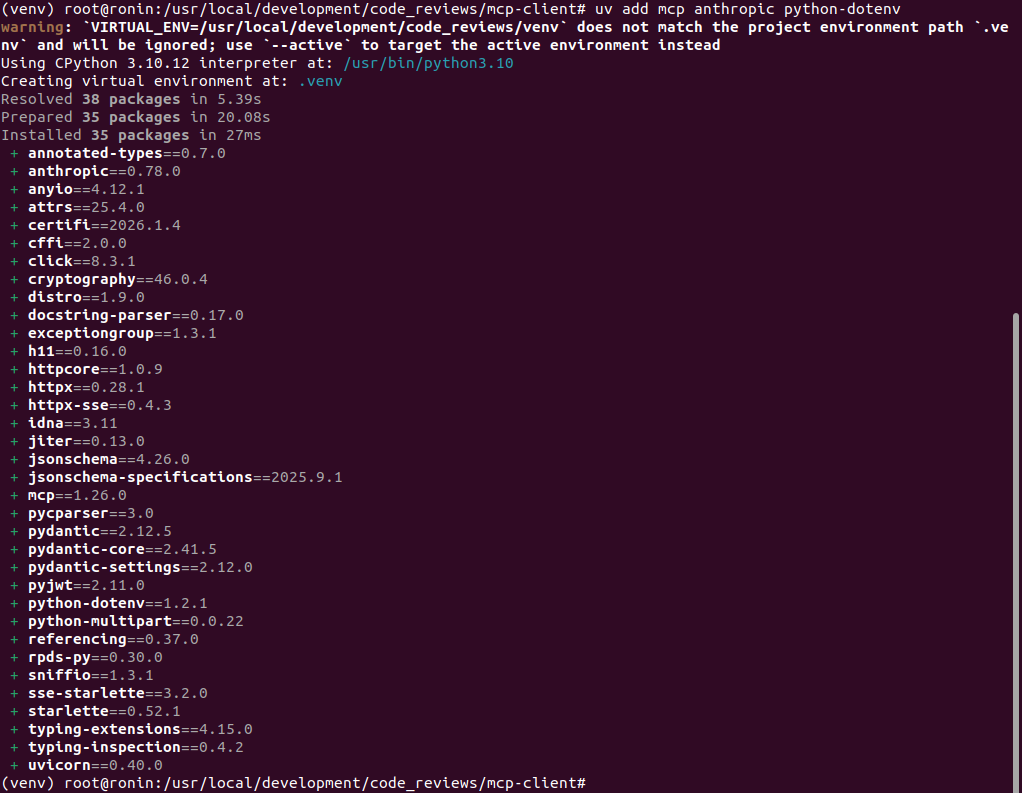
uv add mcp anthropic python-dotenv
Clean up the boilerplate and create a new file:
rm main.py touch client.py
Step 2: Configure Environment Variables
Store your Anthropic API key securely by creating a .env file:
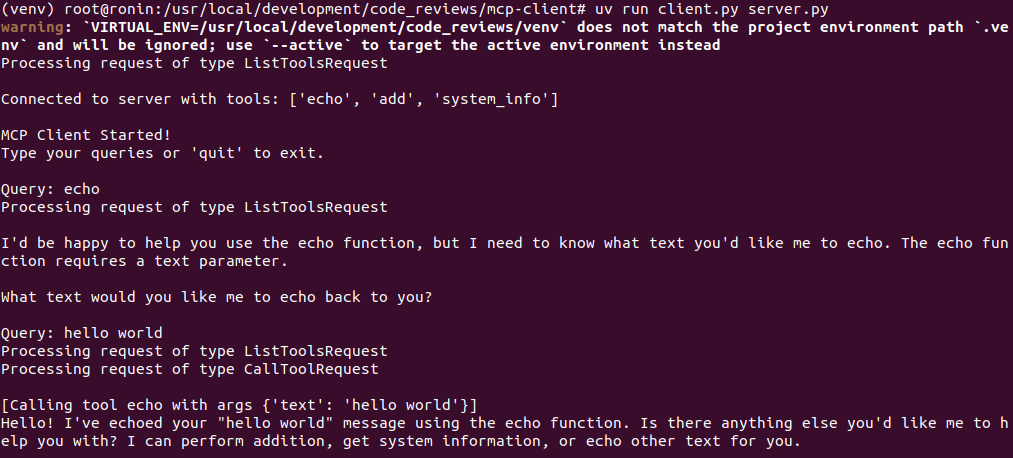
uv run client.py path/to/server.py # For Python server uv run client.py path/to/index.js # For Node.js server
Once started, the client will connect to the server, list available tools, and let you send natural language queries. The server will respond using Claude and may invoke tools as needed to complete your request.
Managing MCP Servers and Clients with Obot
MCP clients are the crucial bridge between AI models and real-world systems — enabling secure data access, actionable workflows, and richer, more reliable AI experiences. From grounding responses with real data to triggering automated processes across tools and services, MCP opens up new possibilities for modern applications.
See how Obot can help get your team set up for success:
Explore the Obot open-source platform on GitHub — and start building with a secure, extensible MCP foundation
Schedule a demo to see how Obot can centralize and scale MCP integrations across your team or enterprise
Read the docs for step-by-step guides, tutorials, and reference materials to accelerate your implementation