If you’ve ever tried vibe coding, or even just asked an AI coding agent to do some sort of work for you, you’ve probably thought to your self: It’s annoyingly boring to wait for this agent to finish its task.
So what do you do when one agent isn’t enough, and you maybe want to run multiple agents in parallel?
Maybe you want one agent fixing bugs, another exploring a feature, maybe a third writing tests. Not sequentially, but at the same time.
That’s where things get interesting, and where tools start to diverge from each other.
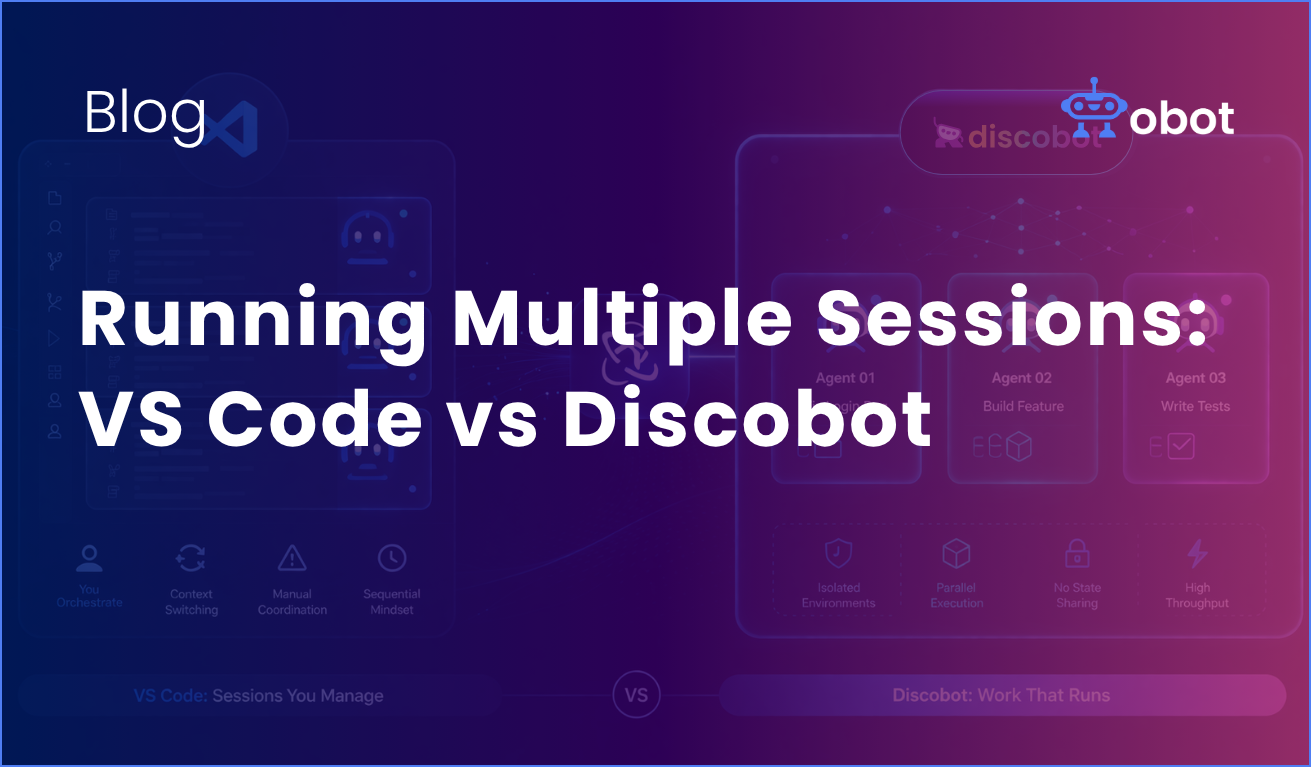
In this post, we’ll look at how multi-agent workflows actually work in **VS Code** vs **Discobot**, and what happens when you try to scale beyond a single agent.
VS Code: Multiple agents… kind of at least
VS Code has gone all-in on agents lately. At a high level, the model is simple:
-You can create an agent
-Give it a task
-It plans, executes, and iterates
And the way this works under the hood is that it break tasks into multiple steps, read and edit files, run commands, and self-correct when things fail. And yes, you can run multiple agents.
With VS Code, you can spin up multiple agent sessions in parallel, and make each of them focus on their separate task. But while this sounds like multi-agent workflow, it’s still not quite what we need.
The reality is paralell sessions, not paralell systems
Each session is isolated in context, independent from other sessions, and manually managed by you.
There is no real orchestration layer, and you’re effectively doing this:
-Session 1 -> “Fix login bug”
-Session 2 -> “Refactor API”
-Session 3 -> “Add tests”
And then you’re switching between them, tracking the progress manually and making sure they don’t step on each other.
VS Code does give you some building blocks:
-Different agent types (local, background, cloud)
-Subagents for breaking down tasks
-The ability to hand off tasks between agents
But it’s still fundamentally single-agent thinking replicated multiple times. You’re the orchestrator.
Discobot: multi-agent is the default
Discobot takes a very different approach.
Instead of running “multiple sessions”, it will treat the multi-agency as a first-class workflow.
The key idea is as simple as “run multiple agents at the same time, in separate environments, without them interfering”.
With Discobot, each agent:
-Runs in its own sandbox
-Has its own separate filesystem and dependencies
-Doesn’t share state with other agents by default
That sounds small, but it changes everything.
Isolation is the unlock
If you’ve ever tried running multiple agents in the same repo, you’ve probably seen that agents tends to overwrite each others files, or there can be a conflict in dependency installs, or weird silent breakage.
Discobot avoids that entirely by design.
A bug-fix agent, and a feature agent can run in parallel without touching each other’s state.
No git worktrees. No manual isolation. No hacks.
The difference shows up fast
Let’s say you want to fix a bug, build a new feature, or just experiment with a little rewrite.
In VS Code
You:
- Start three agent sessions
- Context switch between them
- Keep track of what each one is doing
- Deal with conflicts manually
It works, but you feel the friction very quickly.
In Discobot
You:
- Start three agents
- Let them run
And that’s it.
Each agent runs independently in its own environment, you can just check results.
Coordination vs throughput
This is where the philosophies really diverge.
VS Code optimizes for control
-Tight integration with your editor
-Fine grained oversight
-Human-in-the-loop workflows
It’s great for iteration, debugging and staying close to the code. But as you scale agents, you become the bottleneck.
Discobot optimizes for throughput
-Parallel execution
-Isolation by default
-Minimal coordination overhead
It’s built for:
-Running many agents at once
-Delegating entire tasks
-Letting work happen in parallel
The tradeoff then is that you’re stepping slightly further away from the code, but getting significantly more output.
Subagents vs real parallelism
VS Code does have subagents, which sounds similar at first, but they are different.
Subagents:
-Are spawned inside a main agent
-Do focused work (research, analysis, etc.)
-Return results to the parent agent
They help with:
-Reducing context load
-Structuring complex tasks
But they’re still part of a single agent execution loop.
Discobot’s agents, on the other hand:
-Run independently
-Execute concurrently
-Don’t depend on a parent agent
It’s the difference between:
-Delegation inside one process
-Multiple processes running in parallel
The hidden problem: coordination
Once you run multiple agents, a new problem appears: And it’s not intelligence, it’s coordination.
Even outside VS Code, teams report that context switching becomes exhausting , tracking agent progress is hard, and that the humans becomes the bottlenect.
With Discobot’s isolation + parallelism, you reduce some of the coordination needs. But with VS Code, you keep the developer/human more in control.
Both of these are of course valid, they just optimize for different workflows.
So which one should you use?
It depends on how you think about agents.
Use VS Code if:
-You want tight control
-You work interactively
-You treat agents like assistants
Use Discobot if:
-You want parallel output
-You run multiple tasks at once
-You treat agents like workers
Final thought
Most tools today still assume then one developer, means one agent, which means one task.
That’s already outdated. The real shift isn’t “better agents”.
It’s more agents, running at the same time.
VS Code is getting there, but still thinks in sessions.
Discobot starts where things are going:
-Parallel by default
-Isolated by design
-Built for multi-agent workflows from day one
And once you start working that way, it’s hard to go back.
👉 Start building with real multi-agent workflows – try Discobot today. Get started on GitHub.