An MCP catalog is a directory of MCP servers that follow the model context protocol. It lists servers by function, capabilities, and supported operations, so a client can connect to them without manual setup. An MCP catalog usually provides descriptions of each server, supported tools, version information, and links to documentation or source repositories. Some catalogs also track release history and publisher details.
Developers use these catalogs to find servers that match a task, such as data access, code generation, or workflow automation. This removes the need to search for individual servers and helps keep environments consistent.
The MCP Catalog lists servers that implement the Model Context Protocol — but before diving into the entries, it’s useful to understand how MCP components (clients, servers, tools) interact in the broader MCP Architecture.
Try Obot Today
⬇️ Download the Obot open-source gateway on GitHub and begin integrating your systems with a secure, extensible MCP foundation.
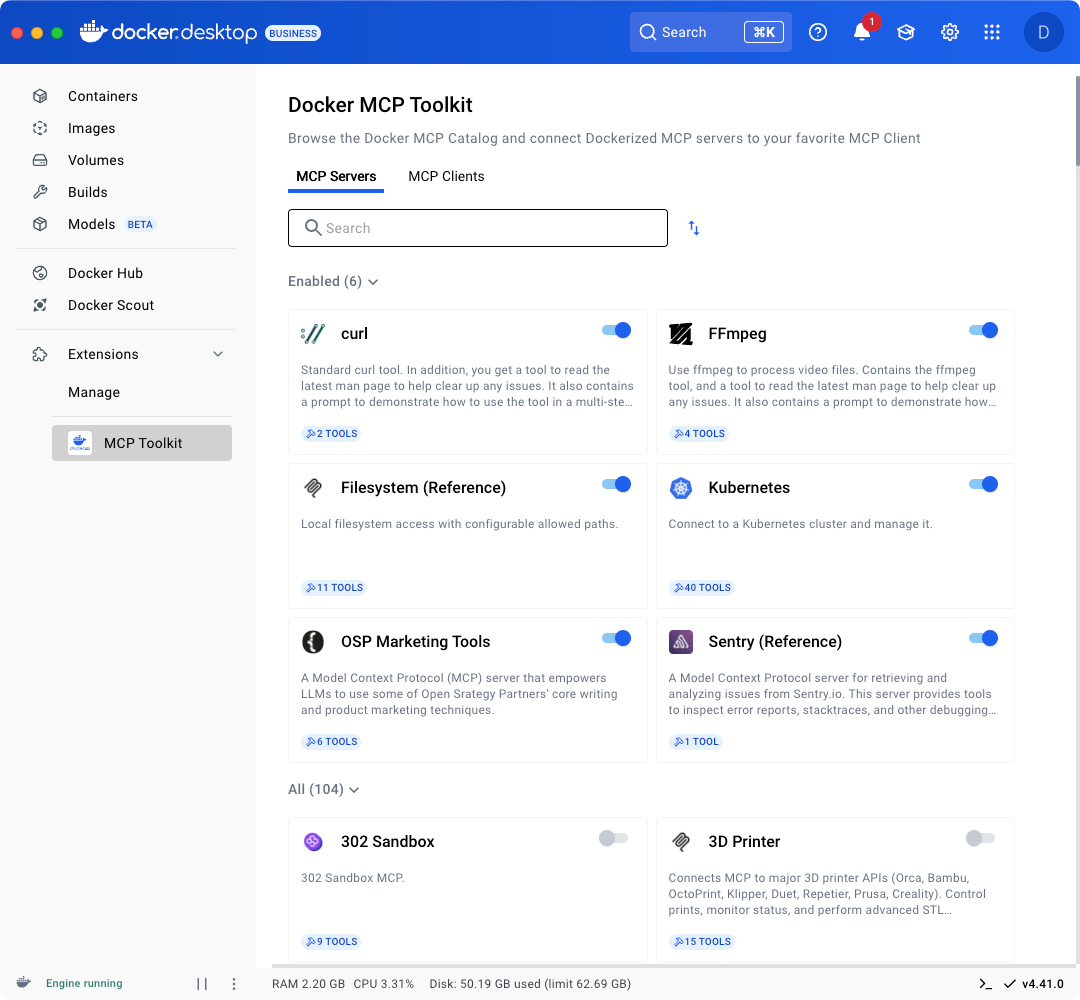
The MCP Catalog at mcpcatalog.io is a central directory for discovering and deploying pre-configured MCP servers that extend AI systems with secure tool and data integrations.
Key features include:
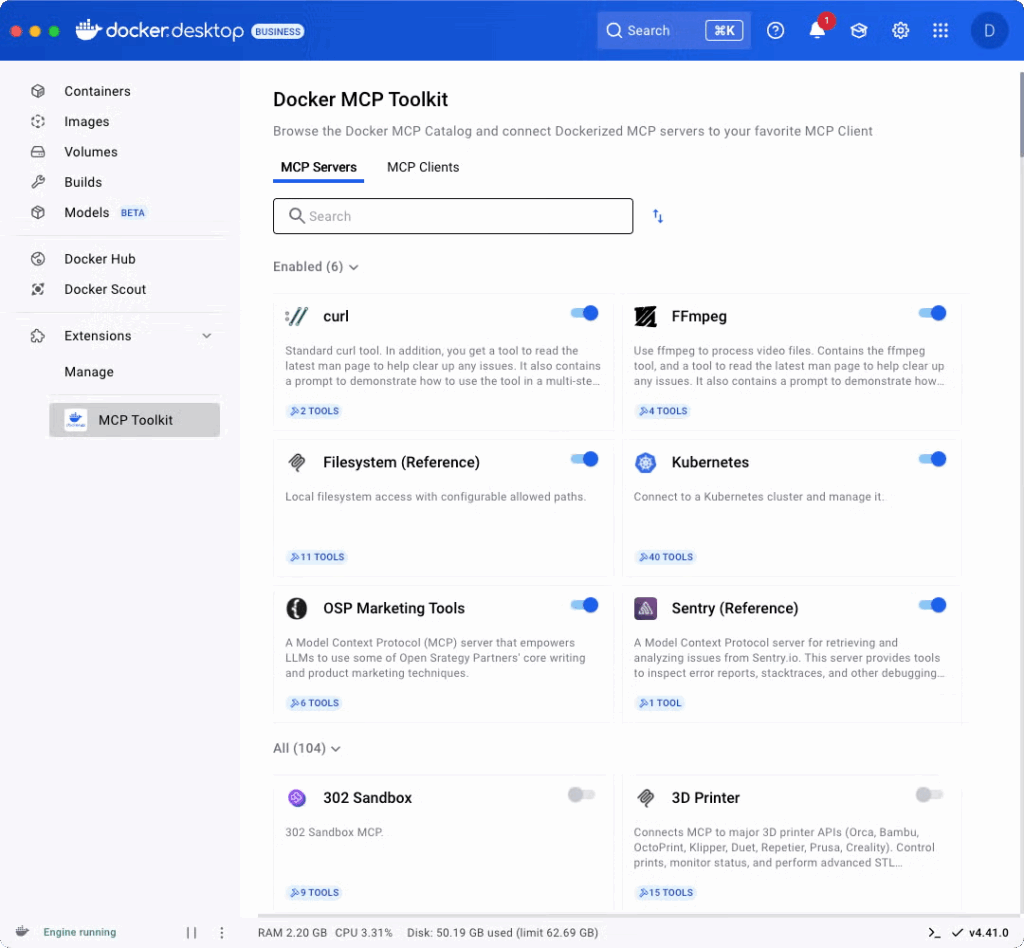
Hosts over 220 verified, containerized MCP servers
Supports AI agent integration with external tools and services
Based on the open Model Context Protocol standard from Anthropic
Emphasizes security with hardened containers and access controls
Integrations available from Docker, Google Cloud, Databricks, Postman, and others
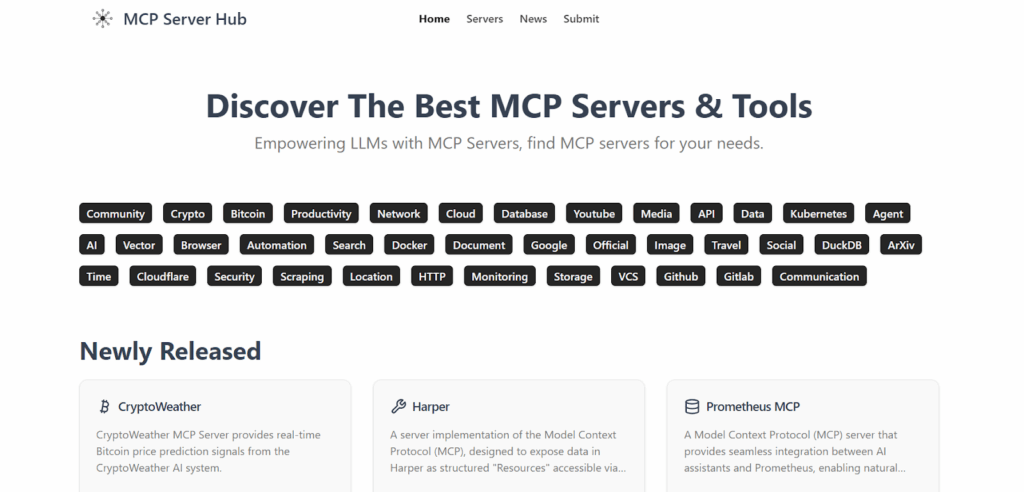
MCP Hub is a curated directory of official and community-contributed MCP servers, designed to help developers find, evaluate, and implement servers for AI and LLM-based applications.
Key features include:
Central repository of reference and community MCP server implementations
Wide range of server categories, including database, cloud, automation, monitoring, and communication
Supports servers built with TypeScript or Python SDKs
Tag-based discovery system (e.g., API, data, browser, Kubernetes, etc.)
Provides detailed documentation, examples, and use cases for each server
Encourages community contributions and feedback to improve the MCP ecosystem
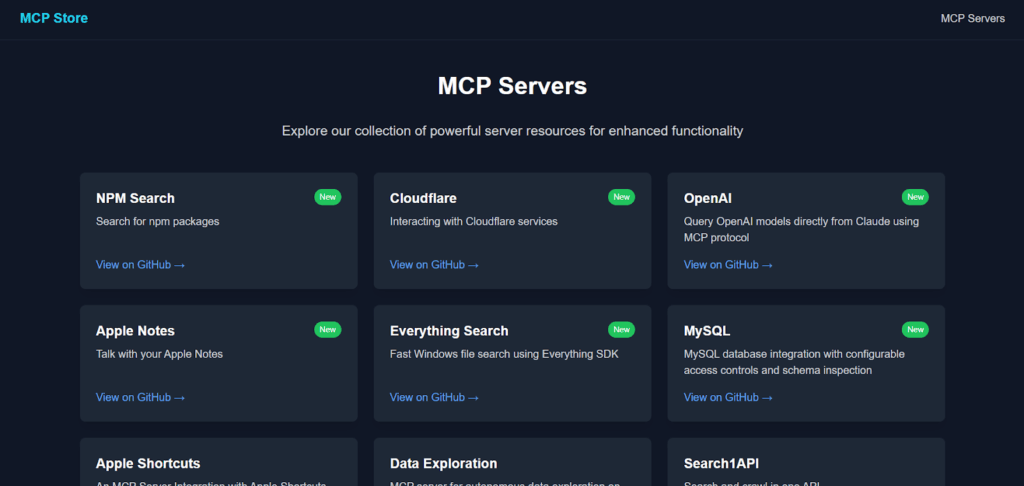
The MCP Store offers a growing collection of ready-to-use MCP servers designed to extend AI agents with access to services, data sources, and automation tools.
Key features include:
Wide range of servers supporting tools like OpenAI, Apple Notes, MySQL, GitHub, and Docker
Focus on usability, with many servers offering secure file operations, database access, or API integrations
Includes browser automation options via Playwright and Puppeteer
Offers real-time data services for cryptocurrency, file search, and cloud platforms
GitHub links available for each server to inspect code and deployment instructions
Considerations for Choosing MCP Servers in an MCP Catalog
Organizations should consider the following practices when evaluating MCP servers in a catalog. Each entry in the MCP Catalog may expose one or more tools; to learn how these tools work and how you can use them within your MCP setup, see our related guide MCP Tools.
1. Purpose and Scope Fit
When choosing an MCP server from an MCP catalog, you should first ensure that the server’s purpose and scope align with your application’s requirements:
Ask yourself what types of integrations you need (e.g., file storage, databases, external APIs, search engines)
Make sure the server supports the data domains your assistant will access. If you only need simple read access to documents, a full-blown transactional server might be overkill.
Verify whether the server is intended for real-time access (for example, live analytics or streaming logs) versus batch or archival purposes.
Consider whether your assistant will need to write or modify data (versus read-only). If writing is needed, check that the server offers safe permission models and audit‐capability.
Alignment with organisational policies: Does the server operate in the right jurisdiction, compliance regime, or security zone your organisation requires?
2. Tooling and Resource Definition
Once you’ve selected a server whose purpose and scope fit, the next major consideration is how the server exposes its tools and resources and how they are defined:
Check what capabilities the server declares via MCP: what “tools” (APIs, functions, endpoints) and “resources” (data sources, files, query-interfaces) are available to the assistant.
See if the tools and resources are well‐documented. Good entries will show the interface (inputs, outputs), error modes, usage limits, and constraints.
Does the server provide metadata about which resource each tool operates on (e.g., “reads from database X”, “writes to object store Y”, “performs action Z”)? This helps the assistant reason about which tools to call.
Are there type definitions, schema or interface definitions (via SDKs or specification attachments) so clients can integrate more reliably? For example the MCP specification defines schema rules.
Check if the tooling supports discovery of what tools/resources are available at runtime. This allows the client to request a list of available tools and receive a structured response, so agents can dynamically decide what tools to use.
Consider how easy to extend the server is: whether you can add new tools/resources later, with minimal friction. See if there are SDKs or examples showing how to add your own resources.
Check the resource costs of using different agents, including latency, rate limits, compute usage, data transfer costs. These may affect your assistant’s performance or budget.
3. Maturity and Community Support
Finally, one of the crucial considerations is how mature the server/implementation is, how active the community is, and what support you can expect:
Look for signs of production readiness: stable versioning, changelogs, issue tracking, active commits. For example, the official Microsoft MCP repository shows many commits, a README, and documented releases.
Evaluate community adoption: how many other organisations are using it, how many third-party integrations exist, how many servers are listed in the ecosystem.
Assess the support channels: Slack/Discord communities, GitHub issues, documentation, example projects, design patterns.
Check for maintenance health: Try to ascertain if bugs being fixed and security issues are prompt addressed.
Consider licensing and governance: check if the server is open-source, under a permissive license, with a clear governance model, so you’re not tied to a single vendor.
Consider ecosystem tooling: check if there are SDKs, templates, boilerplates, and monitoring tools. This matters for long-term maintainability.