An MCP server is the component that gives AI assistants access to external tools, data, and business systems through the Model Context Protocol (MCP). This guide explains how MCP servers work, the different types of MCP servers, common use cases, and best practices for building and deploying them.
MCP servers are applications that expose AI agents to tools and services through the standardized Model Context Protocol (MCP), acting as a bridge between AI models and external data or functionality. They allow AI models to use tools like file systems, databases, or code repositories without needing to understand the underlying code or API complexities. Examples include MCP servers from providers like GitHub, Cloudflare, and Datadog, which enable AI agents to perform tasks like managing code, tracking errors, or accessing data.
Standardized communication: MCP provides an open, unified interface for different AI models and applications to communicate with each other and with external services.
Simplified integration: Instead of writing custom code for every integration, an MCP server handles the specific API interactions, making it easier for AI agents to connect to various tools.
Client/server architecture: An MCP server can be a program that runs on a server or in the cloud, and it exposes its capabilities to AI agents (the clients) via the MCP protocol.
MCP servers provide foundational support for systems that rely on timely, consistent, and structured context. Here are the core benefits:
Centralized context management: MCP servers consolidate context from multiple sources into a single, coherent model, reducing fragmentation and duplication across systems.
Improved decision-making: By providing real-time, context-rich data to downstream services, MCP servers enable more accurate and responsive decision-making in AI models and automated workflows.
Decoupled system architecture: MCP servers abstract context handling from individual services, allowing each component to focus on its core logic without managing shared state or environment details.
Interoperability across heterogeneous systems: They standardize data formats and protocols, enabling communication between diverse platforms, tools, and APIs.
Scalability in dynamic environments: As systems grow and evolve, MCP servers help maintain performance by efficiently managing state changes and minimizing redundant data exchange.
Enhanced observability and auditability: With all context data flowing through a central point, it becomes easier to monitor, log, and audit interactions for compliance and troubleshooting.
Faster integration cycles: Teams can onboard new applications or services faster by connecting them to the MCP server rather than modifying existing systems directly.
An MCP server acts as a central coordinator that manages the flow of contextual information between clients and backend systems. It operates through a multi-step process that ensures context-aware, low-latency responses tailored to each user or session.
1. Receiving client requests
The process starts when an MCP client, such as a chatbot, service, or application, sends a request. This request typically includes a query or command, along with identifiers for the user and session. These details provide the initial context needed to process the request.
2. Context and session management
Upon receiving the request, the MCP server analyzes the current context. It checks the session state, user identity, role-based access controls, and previous interactions. If necessary, it updates or retrieves stored session data to maintain continuity and personalization across interactions.
3. Protocol processing and intent interpretation
Next, the server determines what actions to take. It uses tools like large language models (LLMs), database schemas, API catalogs, and data product directories to interpret the request. Based on this analysis, it selects which backends to query, how to compose the queries (e.g., via text-to-SQL), what data masking rules to apply, and how the final output should be formatted.
4. Backend querying
The server then interacts with one or more backend systems. These could include SQL databases, file storage systems, APIs, or knowledge bases. Each backend may require a different access method, and the MCP server handles this translation.
5. Data aggregation and context updates
Once the data is retrieved, the server merges and transforms it according to session context and business logic. This may involve combining results from multiple sources, anonymizing sensitive information, or enriching the response with additional context.
6. Constructing and returning the response
Finally, the MCP server assembles the processed data into a structured response. It includes any updates to the session context and sends everything back to the originating client. Techniques like chain-of-thought reasoning and table-augmented generation help ensure that responses are accurate, relevant, and grounded in both the user’s intent and the available data.
This structured, context-driven workflow enables MCP servers to serve as intermediaries that enhance real-time data exchanges across complex systems.
👉 Obot helps enterprises operationalize MCP governance with centralized control, observability, and secure connector management. Try Obot today.
MCP Server Use Cases
Connecting Enterprise Systems
MCP servers bridge data silos within large organizations, enabling separate business units or software platforms to exchange context. For example, an MCP server can aggregate user activity from a CRM, inventory status from an ERP, and incident logs from a ticketing system, providing each application with real-time updates relevant to their processes. This approach fosters greater alignment between departments and improves overall responsiveness without requiring point-to-point integration for every data source.
Federated Access Across Silos
Federated access is a scenario where MCP servers enable distributed teams or external partners to interact with internal contexts while maintaining strict boundaries and governance. By mediating requests for context, MCP servers allow organizations to safely expose only the necessary context to authorized parties, supporting real-time collaboration without exposing full internal datasets.
Agentic AI Orchestration
MCP servers are critical for agentic AI systems, where autonomous agents need up-to-date context to operate effectively. By broadcasting changes in environments or user states, MCP servers allow AI agents to react and coordinate actions in real time. For example, in a customer support automation scenario, agents powered by large language models can adapt their responses or workflows based on live CRM updates, incident queues, or security alerts managed by an MCP server.
Domain-Specific AI Augmentation
MCP servers empower domain-specific AI by supplying tailored context to each model or analytical pipeline. For instance, in healthcare IT, an MCP can synthesize patient information, lab results, and recent physician notes from disparate databases, streaming this curated context to clinical decision support tools. This approach allows models to provide recommendations grounded in the most recent and relevant data, boosting accuracy and trustworthiness.
Integrations with Retrieval-Augmented Generation
Retrieval-augmented generation (RAG) systems rely on injecting relevant background information into generative AI prompts. MCP servers simplify this by managing pools of contextually significant data and delivering targeted snippets in response to RAG engine queries. This reduces the overhead of indexing and retrieval operations for each individual LLM invocation and ensures that generative models operate on the freshest possible information.
Notable MCP Servers
There are thousands of MCP servers which provide access to a range of popular tools and functionality. Many of them are listed here. Below we provide examples of several MCP servers offered by notable software companies.
Explore a broader list of MCP servers across categories and capabilities in the MCP Catalog.
1. GitHub MCP Server
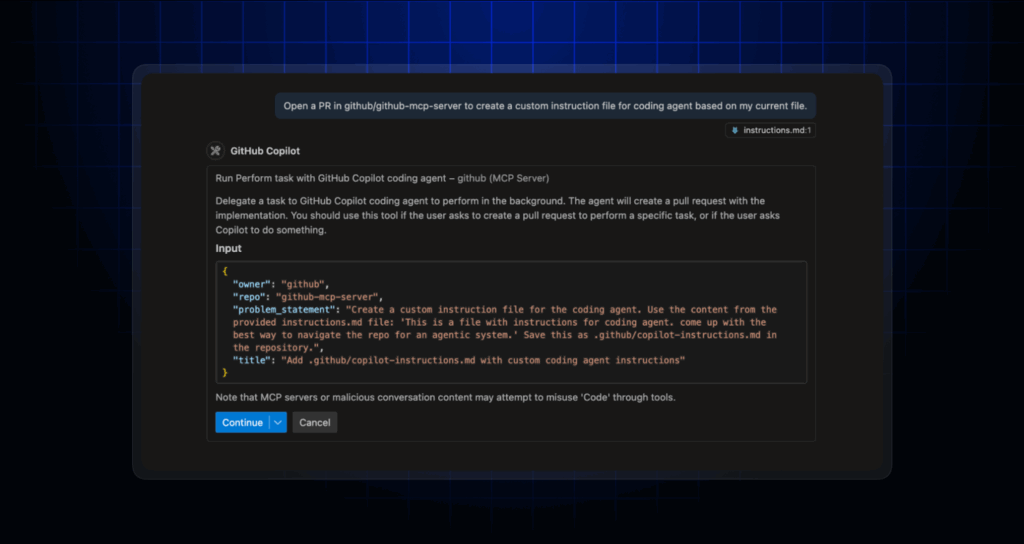
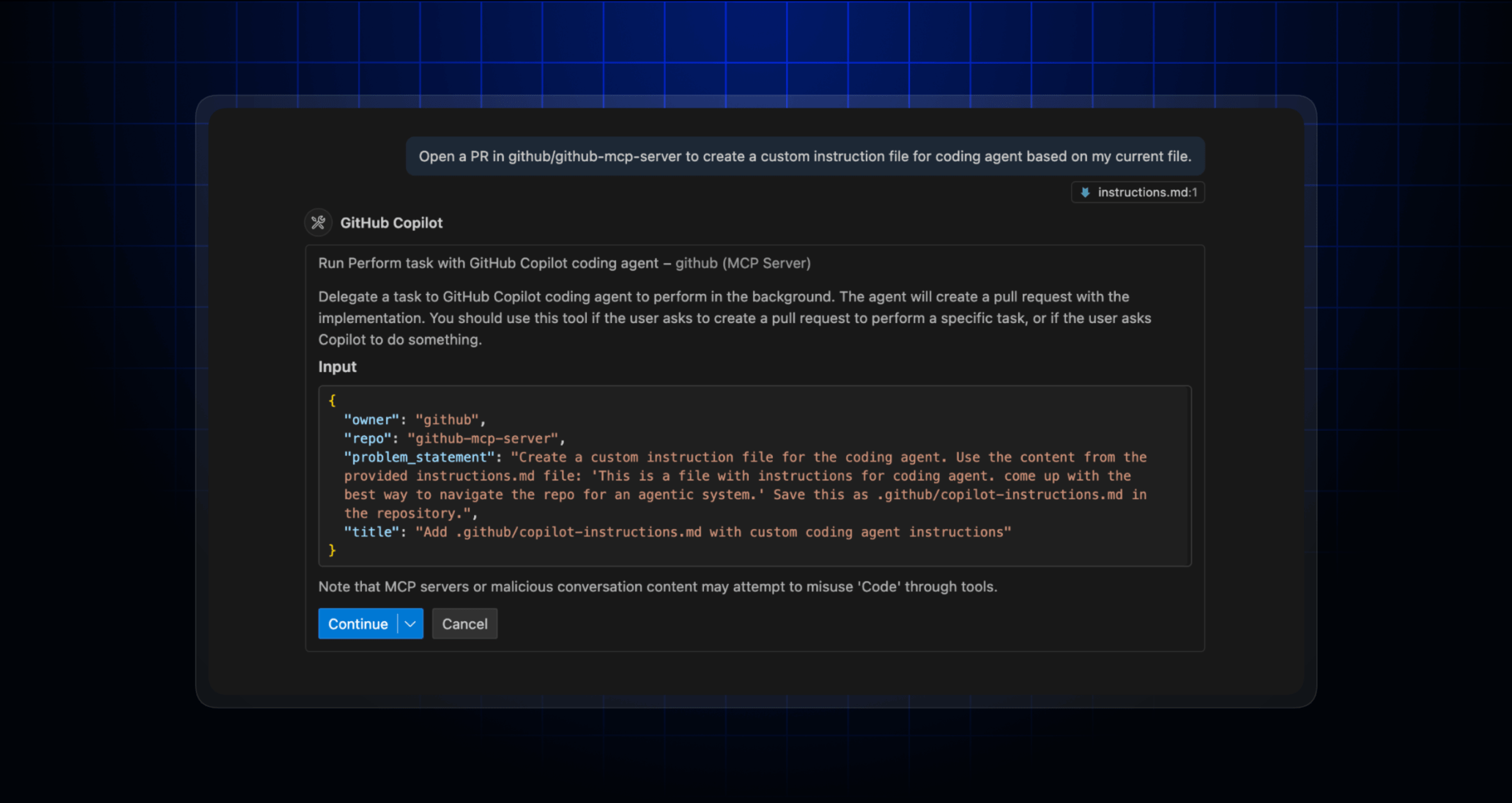
The GitHub MCP Server connects AI agents and tools directly to GitHub, enabling them to interact with repositories, issues, pull requests, and CI/CD workflows using natural language. Acting as a bridge between AI systems and GitHub’s structured development environment, it allows developers to automate tasks, analyze code, and manage team collaboration without manually navigating the GitHub UI.
Key features include:
Repository management: AI can browse, search, and analyze code files, commits, and project structure.
Issue & PR automation: Automate the creation, triage, and updating of issues and pull requests, including project board management.
CI/CD integration: Monitor GitHub Actions, diagnose build failures, manage releases, and extract insights from the software pipeline.
Code analysis: Review security alerts, scan for patterns, and gain high-level codebase understanding using AI.
Team collaboration support: Access and manage discussions, notifications, and activity logs to coordinate team workflows.
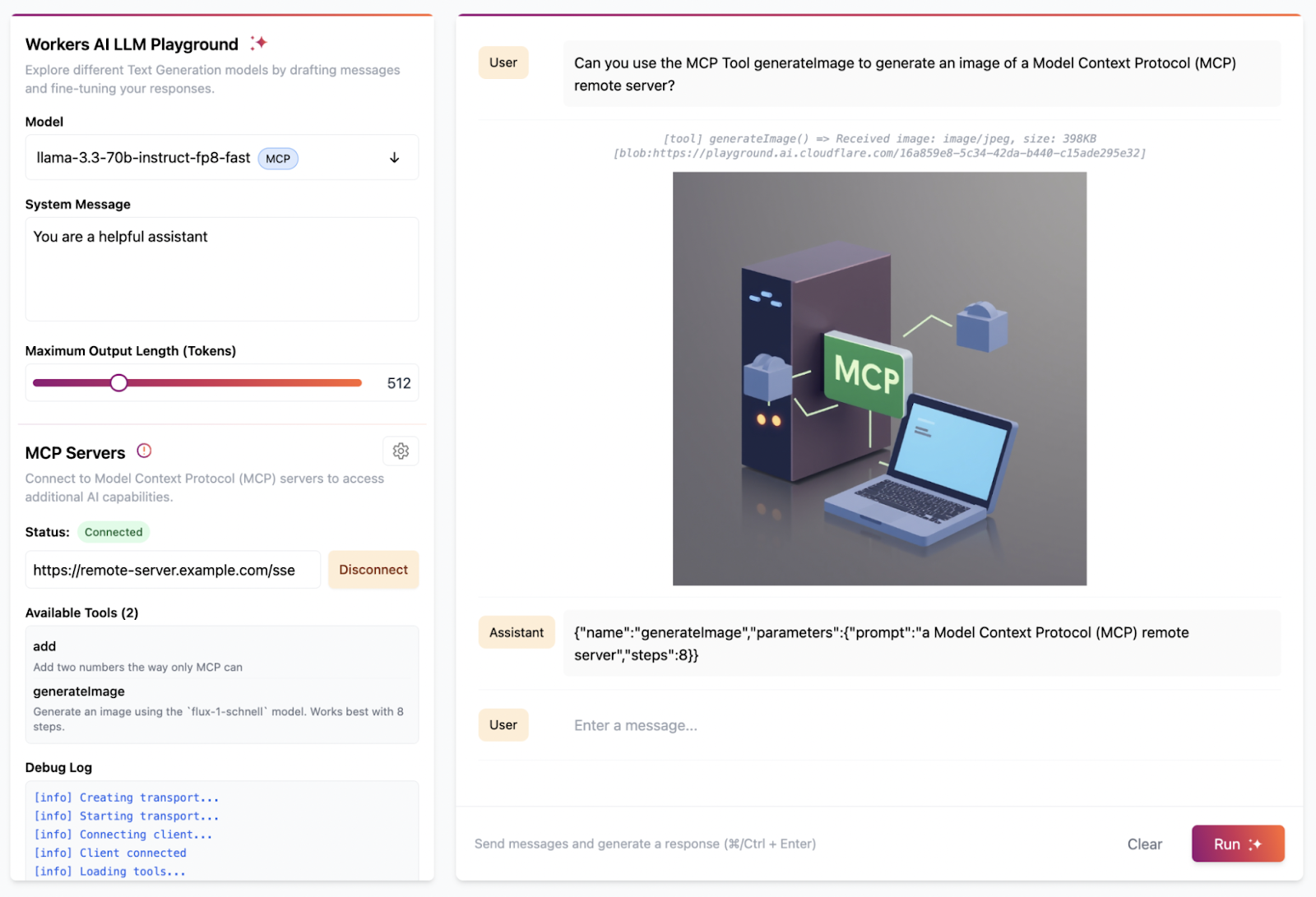
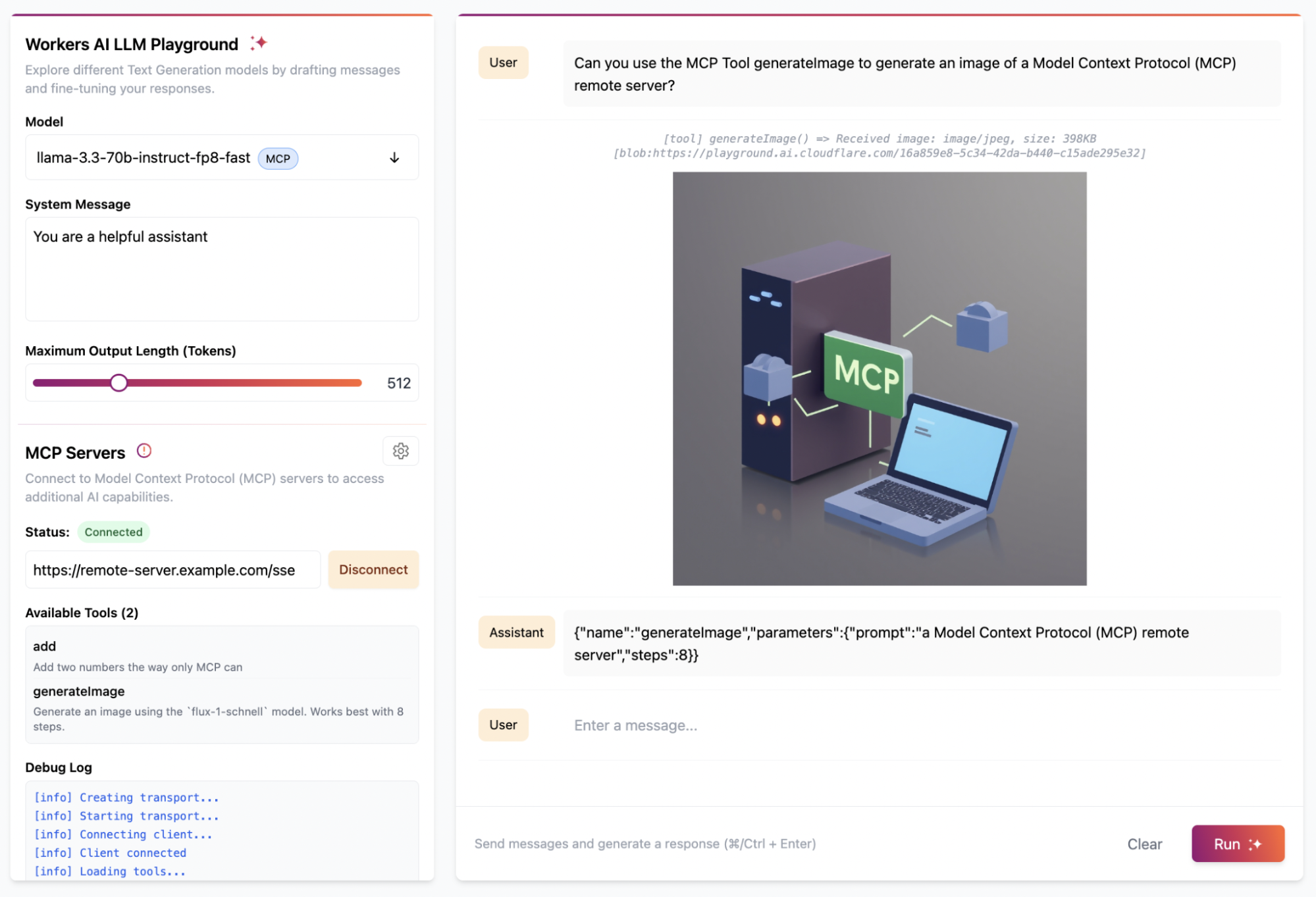
The Cloudflare MCP Server connects Cloudflare’s suite of services to MCP-compatible clients like Cursor and Claude, enabling natural language access to infrastructure, observability, and security tooling. Through these MCP servers, developers and AI agents can query configurations, analyze application behavior, debug issues, and apply changes.
Key features include:
Service-specific MCP endpoints: Includes dedicated servers for Workers, Observability, Radar, Browser Rendering, and AI Gateway.
Natural language access: Query configurations, logs, metrics, and analytics using plain language prompts from compatible clients.
Real-time observability: Use the Observability MCP server to inspect logs, analyze traffic, and troubleshoot application issues live.
Application development support: The Workers Build and Bindings servers assist with coding, deploying, and managing Cloudflare Workers apps with integrated AI and storage.
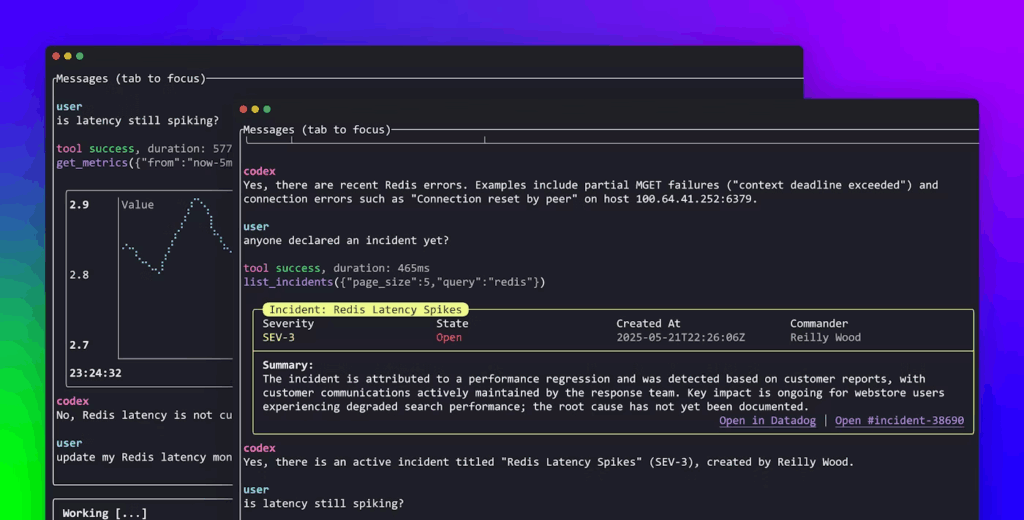
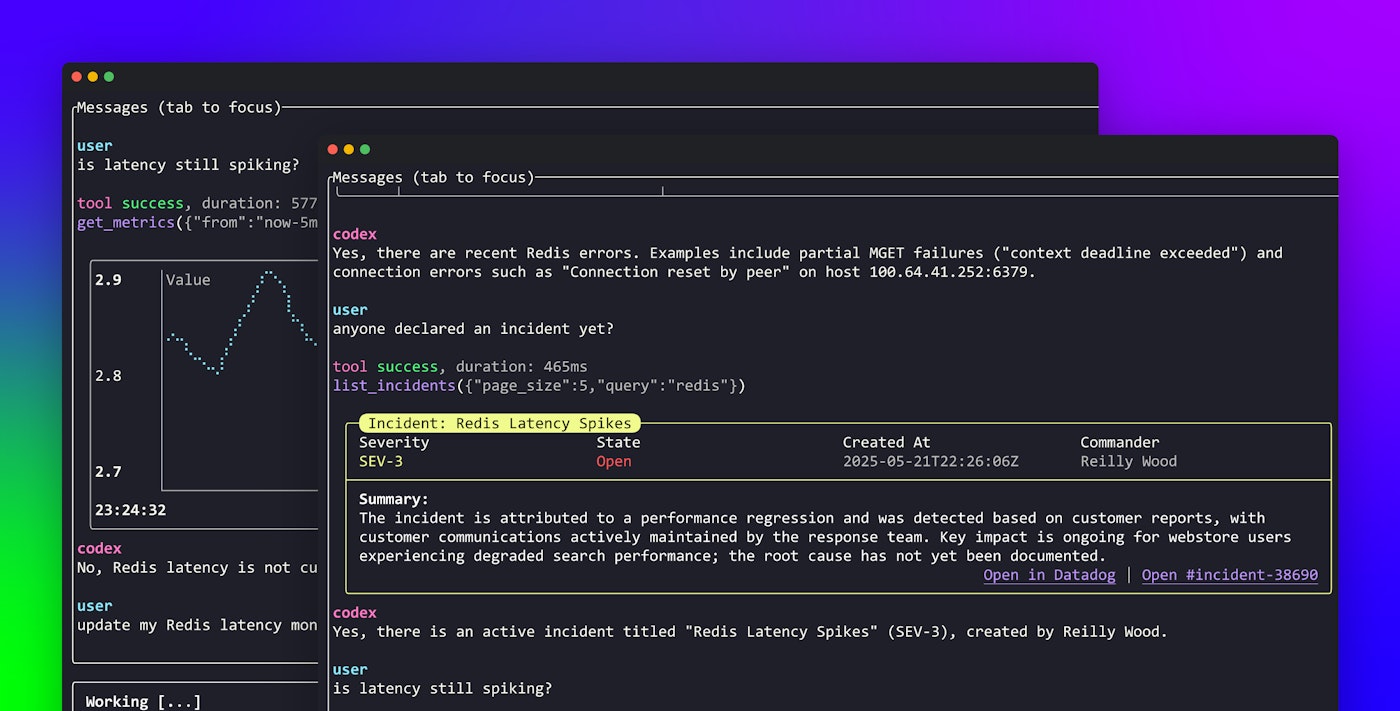
The Datadog MCP Server brings observability data into AI-driven development and operational workflows by exposing Datadog’s telemetry (logs, traces, metrics, incidents, dashboards) through MCP. Designed to simplify how AI agents interact with complex APIs, it interprets natural language prompts and securely maps them to the right Datadog endpoints.
Key features include:
Natural language querying: AI agents can retrieve logs, metrics, incidents, and infrastructure details using plain English, no manual API calls required.
Multi-domain observability access: Supports logs, traces, metrics, monitors, dashboards, hosts, and incidents, enabling full-stack visibility from a single interface.
Real-time troubleshooting: Quickly correlate errors to active incidents or performance issues with tools like get_logs, list_incidents, and get_metrics.
Incident context awareness: Fetch live incident status and details to assist with on-call response and root cause identification.
Metric visualization: Retrieve time series metrics and generate latency graphs or performance trends inside the same agent session.
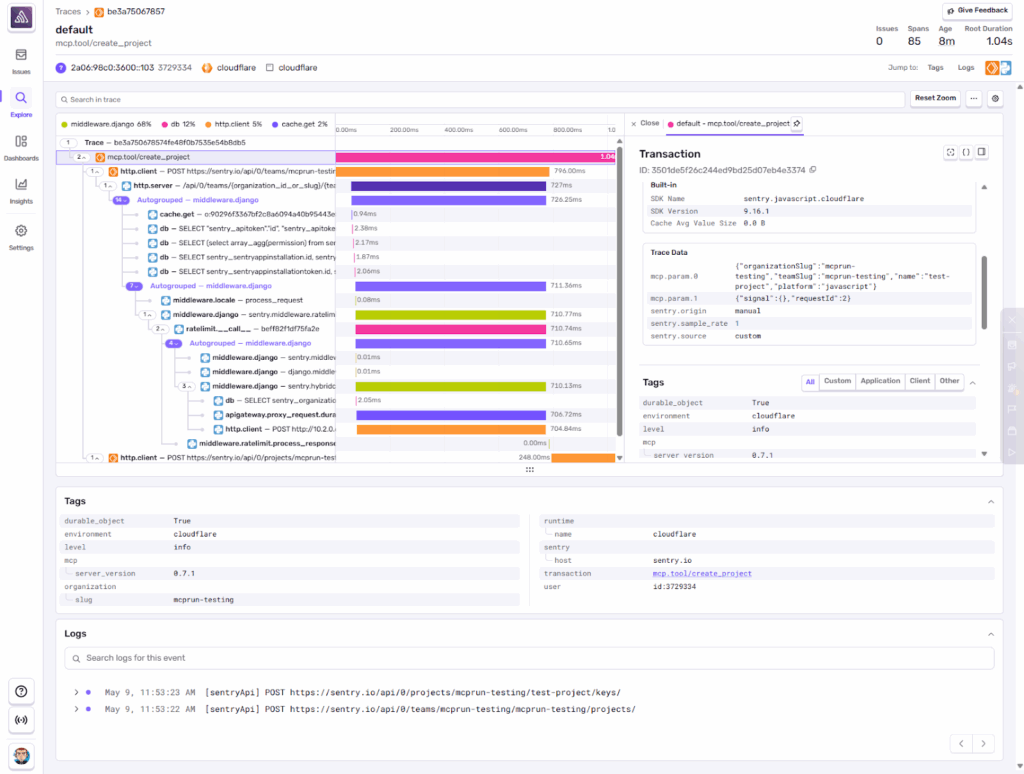
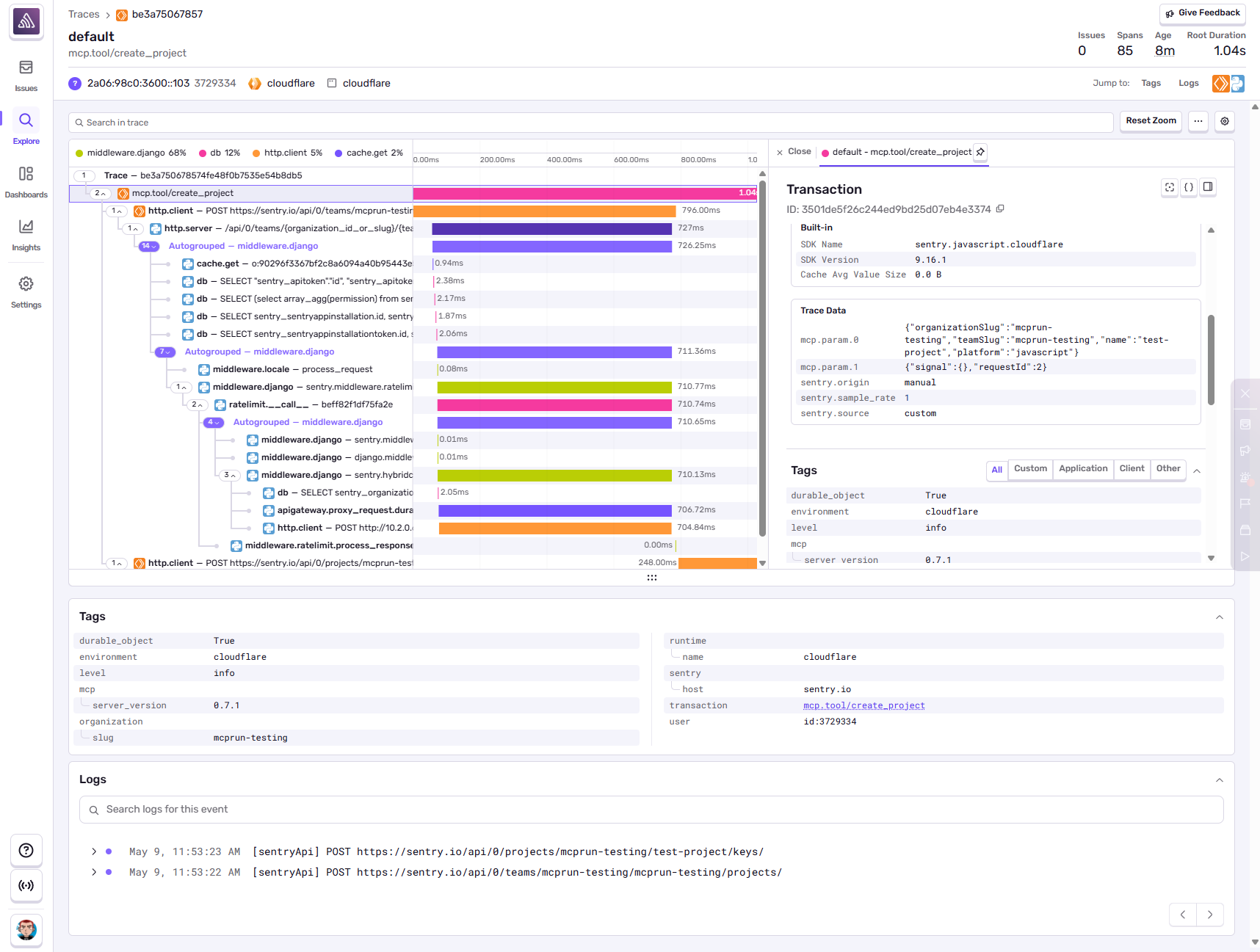
The Sentry MCP Server securely connects Sentry’s error tracking and performance monitoring data to systems that support the model context protocol. By integrating with Sentry’s platform, it allows AI agents and tools to access, search, and analyze issues, projects, and performance data through natural language interactions.
Key features include:
Issue and error access: Retrieve issue data, error traces, and event context from Sentry.
Targeted error search: Query specific files, projects, or organizations to locate and analyze recurring issues.
Project and organization management: List, query, and create projects or DSNs (data source names) from within the MCP environment.
AI-enabled issue resolution: Invoke Seer, Sentry’s AI system, to automatically diagnose and fix issues, and track the status of fixes.
MCP architecture: Supports both remote (preferred) and local STDIO modes for flexible deployment and development workflows.
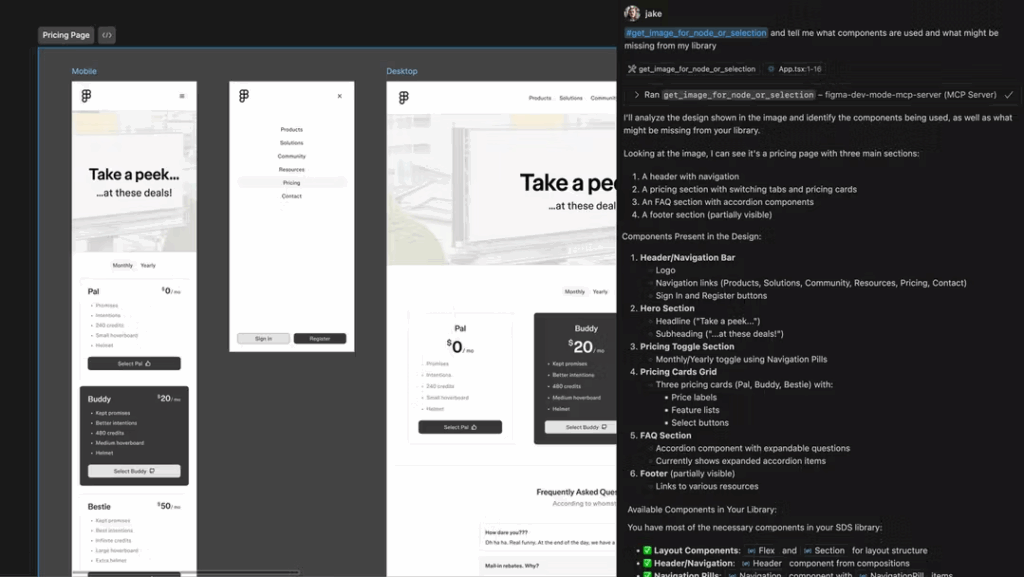
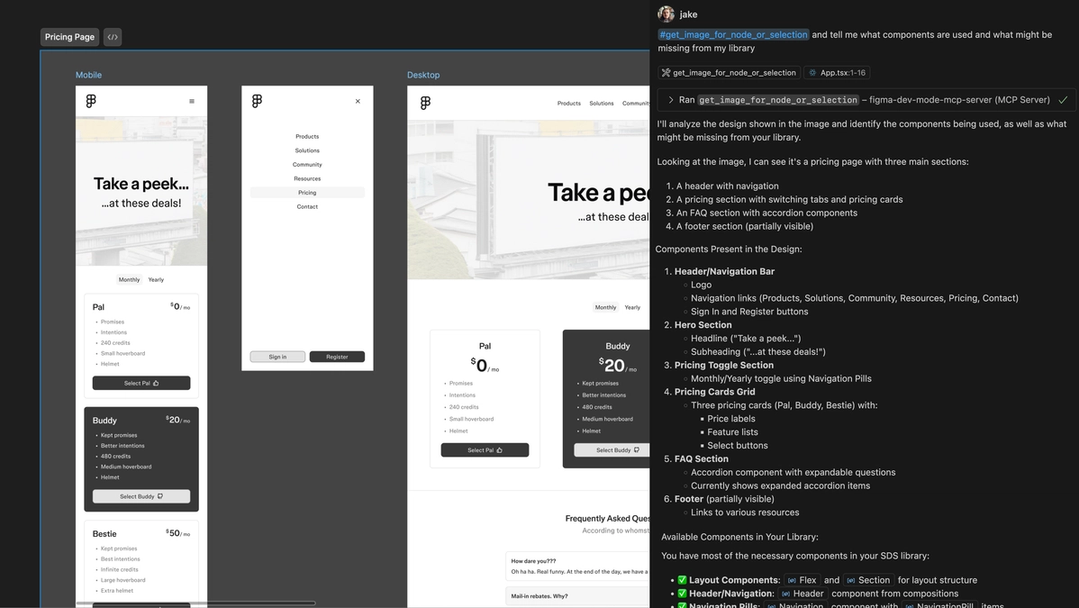
The Figma MCP Server brings structured design context into the development workflow, enabling large language models (LLMs) to generate code that aligns with design intent. By exposing Figma design data (components, variables, styles, layout structure, screenshots, and pseudocode) through MCP, this server bridges the gap between design and implementation.
Key features include:
Live design context: Access Figma files, components, and styles from MCP-compatible tools, no need to manually upload images or paste design tokens.
Code-linked components: Surfaces exact component references, variable names, and file paths when design elements are tied to code, reducing the need for LLMs to infer patterns.
Screenshot support: Generates high-level visual overviews to give LLMs a better sense of screen flow, responsive states, and component layout.
Code syntax metadata: Provides React, Tailwind, or pseudocode representations of design elements to help LLMs generate structured, functional code.
Design intent extraction: Supplies additional metadata like placeholder text, annotations, and image usage, helping LLMs infer backend or data model requirements.
Related content: Read our guide to MCP tools (coming soon)
Best Practices for MCP Server Design and Deployment
Here are some useful practices to consider when using an MCP server.
1. Prioritize Context Minimalism for Efficiency
Minimizing the amount of context distributed by an MCP server is crucial for both performance and security. By sending only the information that is strictly necessary for each consuming application or agent, designers can reduce bandwidth usage, lower storage overhead, and simplify compliance with data minimization principles. This approach also helps to prevent information overload, ensuring that recipients can process context efficiently and reliably.
Implementing context minimalism requires careful schema definition, fine-tuned filtering rules, and regular audits of what information is being shared. Teams should constantly revisit context distribution policies to eliminate unnecessary fields and scopes, particularly as requirements evolve or new consumers are added to the system.
2. Ensure Secure Data Boundaries
MCP servers must enforce strict boundaries around context access, especially in environments with sensitive data or multiple tenants. Implementation of robust authentication, authorization, and auditing mechanisms is essential to prevent data leaks or unauthorized access. This often involves integrating with identity providers, encrypting data in transit and at rest, and using granular access controls to define what context each consumer can see or manipulate.
Beyond technical controls, a solid grasp of MCP server security considerations should inform how organizations review and update access policies in response to new threats or regulatory changes. Security logging and anomaly detection should be in place to quickly alert administrators to suspicious activity or policy violations.
3. Use Structured Schemas and Metadata
Employing structured schemas and metadata is foundational for interoperability and context clarity. By defining explicit data models and required fields, MCP servers can validate incoming and outgoing context, and teams should test schemas and workflows before production use, catching schema violations early. This protects downstream applications from processing malformed or incomplete data, improving system reliability and predictability.
Well-designed schemas enable richer metadata, such as timestamps, source identifiers, or data lineage, which boosts observability and auditability. Consistent use of structured schemas also makes it easier to onboard new integrations or migrate context between systems, reducing the complexity and cost of change management.
4. Build for Extensibility and Modularity
Extensibility is a core principle for MCP server architecture, enabling organizations to quickly add new context providers, consumers, or processing pipelines as requirements evolve. Modular design, where connectors, transformation logic, and schemas are independently configurable, prevents the server from becoming a monolithic bottleneck and allows rapid iteration on context flows, while managed hosting can reduce operational overhead for extensible deployments.
A composable approach supports plugin frameworks or API-driven extensions, making it easier to integrate with emerging platforms and technologies without substantial rework as teams introduce new servers to extend capabilities and support new workflows. Designing with extensibility and modularity in mind future-proofs the MCP server investment, supports ongoing digital transformation initiatives, and leaves room for steady improvements as the ecosystem grows.
5. Adopt Observability From Day One
Comprehensive observability is non-negotiable for any MCP server deployment, regardless of scale. By instrumenting the MCP server for metrics, traces, and logs around context ingestion, transformation, and distribution events, teams gain real-time visibility into performance, failures, and usage patterns. This makes it easier to debug problems, optimize routing, and demonstrate compliance with internal or external requirements.
Integrating observability from the outset also supports capacity planning and helps maintain strict SLAs. Proactive alerting reduces mean time to recovery during incidents, while historical analytics support continuous improvement of context flows.
Deploying MCP in Your Organization with Obot
Let’s discuss how to integrate MCP servers into your existing infrastructure, design context schemas, and implement secure access controls — tailored to your organization’s needs. Many MCP options are free and open-source for self-hosted AI integrations, and teams can compare official registry choices with self-managed deployments, including namespace authentication and REST API access. Set up a time to connect with an Obot MCP Architect today — schedule now.