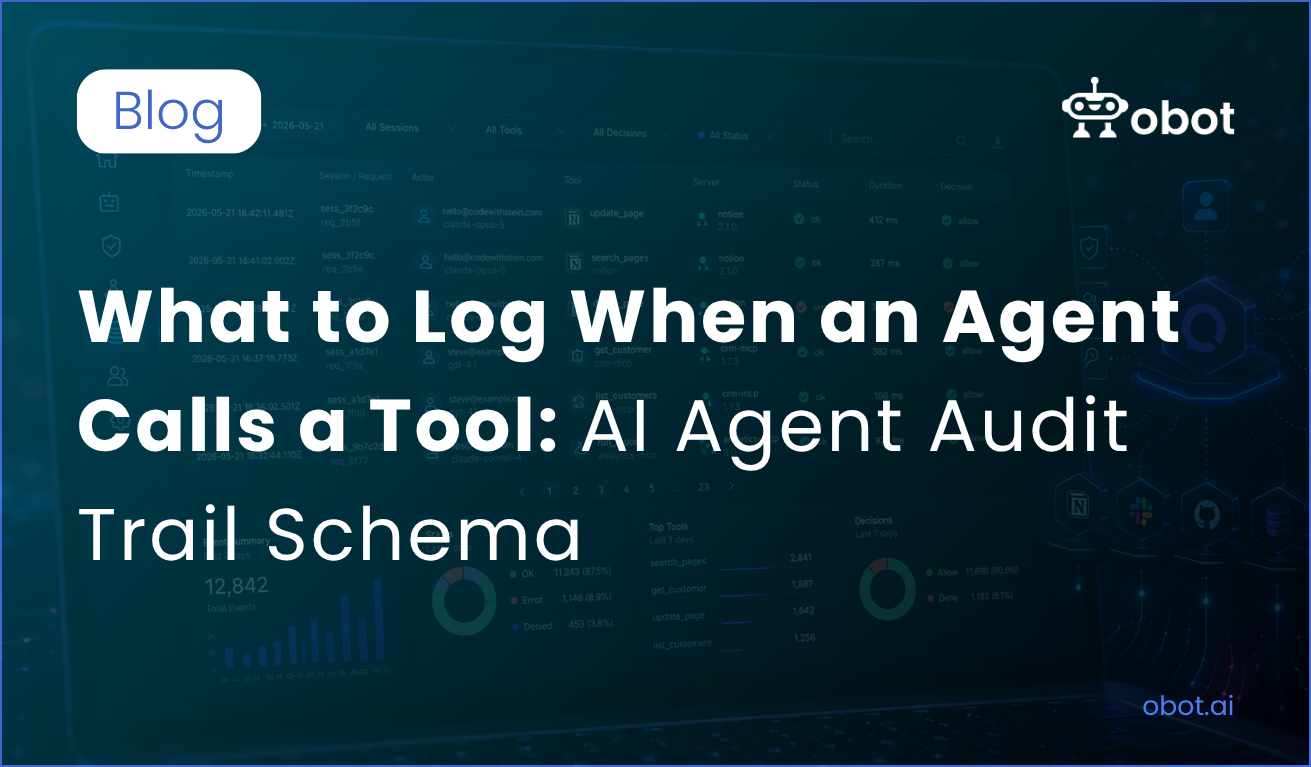
When an AI agent calls a tool, chat history alone isn’t enough to explain what happened. This guide shows you what to include in an AI agent audit trail, provides a practical schema for logging every tool call, and explains where to store those records for troubleshooting, security, and compliance.
Many people out there have an AI agent running with access to a few MCP servers, and you’ve probably had this moment at some point: something in the system has changed, and you have no idea if it was the agent, a person, or something else.
An AI agent audit trail is the detailed record that answers that question: not just chat history, but a trace of each tool call with the call ID, session, actor, tool, arguments, result status, authentication, and policy decisions behind the action. That kind of audit trail is what gives you AI auditability across your systems, whether you are a developer, system administrator, or part of a team responsible for security, compliance, and incident review.
Your agent did what it was asked to do, but the only trace you can find is what you have in the chat history, and the chat history is not an audit trail. In this guide, I go through why chat logs aren’t enough, what to log every time an agent calls a tool, the schema you can copy, and where to store audit trails so an AI decision can be traced later during troubleshooting, security review, or compliance work.
Why the chat log isn’t enough
The AI agents chat log only tells you what the user actually asked for. It can’t tell you reliably which tools was called, with what arguments, what came back, how long time it took, or which API call response was returned. A proper audit log captures verifiable events across agent behavior, not just the visible conversation. AI audit trails also help explain an AI decision to a human reviewer, improving trust and accountability in production systems. And most clients don’t keep the logs forever; they’re tied to one person’s session, which makes it hard to reconstruct everything that happened in the same session.
So what we want is one audit trail with one record per tool call, stored somewhere outside the client. It’s almost like an access log file for a webserver, but for AI agents.
The schema
Here is what I log. Skim through it, and we’ll go through the fields below.
id, timestamp, event_type Use a ULID or UUIDv7, this makes them sortable by time. This makes it much easier to look at later, and timestamps should keep millisecond precision so the order of each action is clear during an incident.
session_id, request_idandparent_id When a user inputs a prompt, it usually leads to several tool calls, and some tools even call other tools. With these three IDs, it’s easier and also possible to rebuild the whole chain afterwards. And if you already have OpenTelemetry, you can just use trace and span IDs here. If that linkage is missing, the chain breaks and you lose important causality about why an agent makes a given call.
actor Who is the human behind this, what client did they use, and which models made the decision to call the tool. The most important part here is probably the model when trying to find out why something happened. In some systems, teams also debate whether to record chain-of-thought, but for audits I would rather log the decision inputs and outputs than expose raw reasoning.
server andtool Here we log what MCP server was called, which version, and the tool name. I like to log the full arguments, but only after stripping fields that are marked as secrets. I put the hash there so you can prove that arguments haven’t been changed, even if you decide to redact them. This is also where you should note what the agent accessed, plus concise retrieved context and token counts, because telemetry from agent frameworks often misses the exact security-relevant details. A cloud audit log may show the control-plane call, but not the internal step that triggered it.
result Don’t store the full result by default. That’s because the results can be big, and they often contain the data you’re trying to protect. The status, size, duration, and a hash is usually enough for a good trace. If you need the body, I recommend storing store it separately with a shorter retention, and keep document references or response handling metadata in the record as evidence. For example, if a retrieval tool returned files, I would store IDs and hashes instead of full bodies.
auth Store the identity used to make the call, and which scopes were active. If something goes wrong, this is a very important field to be logging. That includes service accounts or other machine identities, since a solid threat model should assume prompts, tools, or dependencies can be compromised.
policy If you use a gateway like Obot in front of your MCP servers, you should also be logging what the gateway decided and which rule matched. It can be just as useful to see what was being “denied”, rather than accepted. This helps when reviewing prompt injection attempts and seeing whether the guardrail blocked them.
Here is a simple schema for an audit log of each agent action, not just chat history:
What this looks like if you’re already running Obot
If you’re routing MCP traffic through a gateway like Obot, most of this schema isn’t something you build — it’s close to what gets captured by default. Obot’s audit system logs user and device identity, the MCP server and tool involved, and request metadata for every call; for LLM gateway traffic specifically, that extends to session, IP, token usage, duration, and outcome. Policy decisions — the policy block above — map to what Obot’s access-control layer already evaluates per tool call, since it’s the thing brokering auth and enforcing scopes in the first place. The point isn’t that every field name lines up exactly; it’s that if you’re about to go build this schema and wire it into every MCP server yourself, putting a gateway in front of them gets you most of the way there without touching server code.
There’s no need to log all of this inside each of your MCP servers. You’ll end up with five different formats, and the MCP servers shouldn’t need to know who the user is.
The most natural place is the layer that sits between the client and the servers. This is one of the reasons it’s worth running MCP servers through a gateway like Obot: the gateway sees every call already, and it already knows the user and the policy, so it can write one consistent row per call instead of you reconciling five formats after the fact.
If you’re not routing through a gateway, your org’s default log sink works fine too — Loki, a Postgres table, whatever you already run. The gateway path has one advantage though: it can export the audit logs that can then be consumed by whatever SIEM or observability backend your security team already uses, so this doesn’t become a new system someone has to learn.
Either way, once it’s stored somewhere durable, you can start asking questions like “what did the agent write to Notion last Wednesday?” and actually get an answer.
Summary and compliance requirements
An agent who’s calling a tool is an action taken on behalf of you or a person, and this is something that leaves a trace. Gateway logging is usually a better source of truth than relying only on cloud audit sources, which often capture infrastructure activity rather than the full agent action, so an agent audit trail should preserve the decision path instead of just basic logs. This also helps separate audit trails guardrails, because guardrails act in real time while the record is what gives you traceability later on.
That’s why I have a schema with data I like to log, and just to summarize what it all includes:
IDs for the call, the session, and the parent call
Who made the call, which client, and which model
The server, tool, and the arguments
The status, duration, and a hash of the result
The identity and scopes
What the policy decided
Overall, this is a good place to start. If it feels like over-logging, feel free to remove some of the things you feel you don’t need, but use data minimization so you keep what matters. If you’re sending everything through a control plane like Obot, that central layer is usually where compliance teams end up needing these records anyway — especially under frameworks like the EU AI Act and NIST AI RMF. For storage, keep tool invocation events for at least ninety days, longer where HIPAA or PCI-DSS apply. SOC 2 also expects tamper-proof logs — easier to guarantee when one layer is writing them, not five.