Teams choosing a self-hosted MCP server are usually solving one problem and creating another without realizing it. The problem they’re solving is real: keep agent traffic and credentials inside infrastructure they control, instead of routing everything through a third-party endpoint. The problem they create is assuming that self-hosting the server is the same thing as governing it. It isn’t, and the gap between the two is where most self-hosted MCP deployments eventually run into trouble.
This guide covers what a self hosted MCP server actually requires, which MCP gateway options genuinely support self hosting versus which ones only offer a VPC variant of a managed product, and how to evaluate them against the criteria that matter once a self-hosted deployment moves past a single developer’s laptop.
A team that started with one local MCP server running against a local MCP client rarely stays there. Someone adds a second server for internal documentation search. Someone else adds a third for database queries. Each one gets its own API key, usually sitting in an environment variable because that’s what the protocol assumes for STDIO-based servers. Nobody has a single place to see what all three servers can actually touch, and by the time a security review asks, the honest answer is “we’re not fully sure.”
That’s the point where self hosting stops being a checkbox decision and becomes an architecture decision.
What a Self-Hosted MCP Server Actually Requires
A self-hosted MCP server is, at minimum, a process you run: typically a Node.js or Python service, since most reference implementations and community MCP servers ship in one of those two languages. That part is simple. What’s less simple is everything a production deployment needs around it.
MCP servers require environment variables for secure configuration, including API keys, database credentials, and service tokens, because that’s the pattern the protocol itself assumes for locally-run, STDIO-based servers. That’s fine for local development on one machine. It stops being fine the moment the server is exposed to more than one person, because environment-variable credentials have no concept of who’s using them or what they should be scoped to.
Packages like Docker provide a deployment option that solves part of this: containerized isolation, restricted host filesystem access, and a repeatable way to run existing MCP servers without polluting a developer’s machine. Effective security practices for self-hosted MCP servers extend beyond containerization though. They include restricting which tools are actually exposed to which agents, and logging tool usage so there’s a record of what happened after the fact, not just a guess.
Self-hosting genuinely does offer real advantages: data sovereignty, since sensitive data remains within your infrastructure rather than passing through a third-party service; customization, since you control the deployment; and complete control over security policies, since nothing is enforced by a vendor’s default configuration. Common self-hosted MCP projects include database query tools and internal documentation search, both of which touch data an organization has a real reason not to hand to an external service. The tradeoff is operational: self-hosting an MCP server at anything beyond a single-developer scale typically requires real Docker or Kubernetes expertise, and that requirement doesn’t go away just because the server itself was easy to stand up.
MCP Client and MCP Gateway: How They Connect to a Self-Hosted Server
An MCP client, whether that’s Claude Desktop, GitHub Copilot’s agent mode, Cursor, or another AI assistant, connects to an MCP server to discover and invoke tools. In a single-developer setup, that connection is direct: one client, one local server, no intermediary.
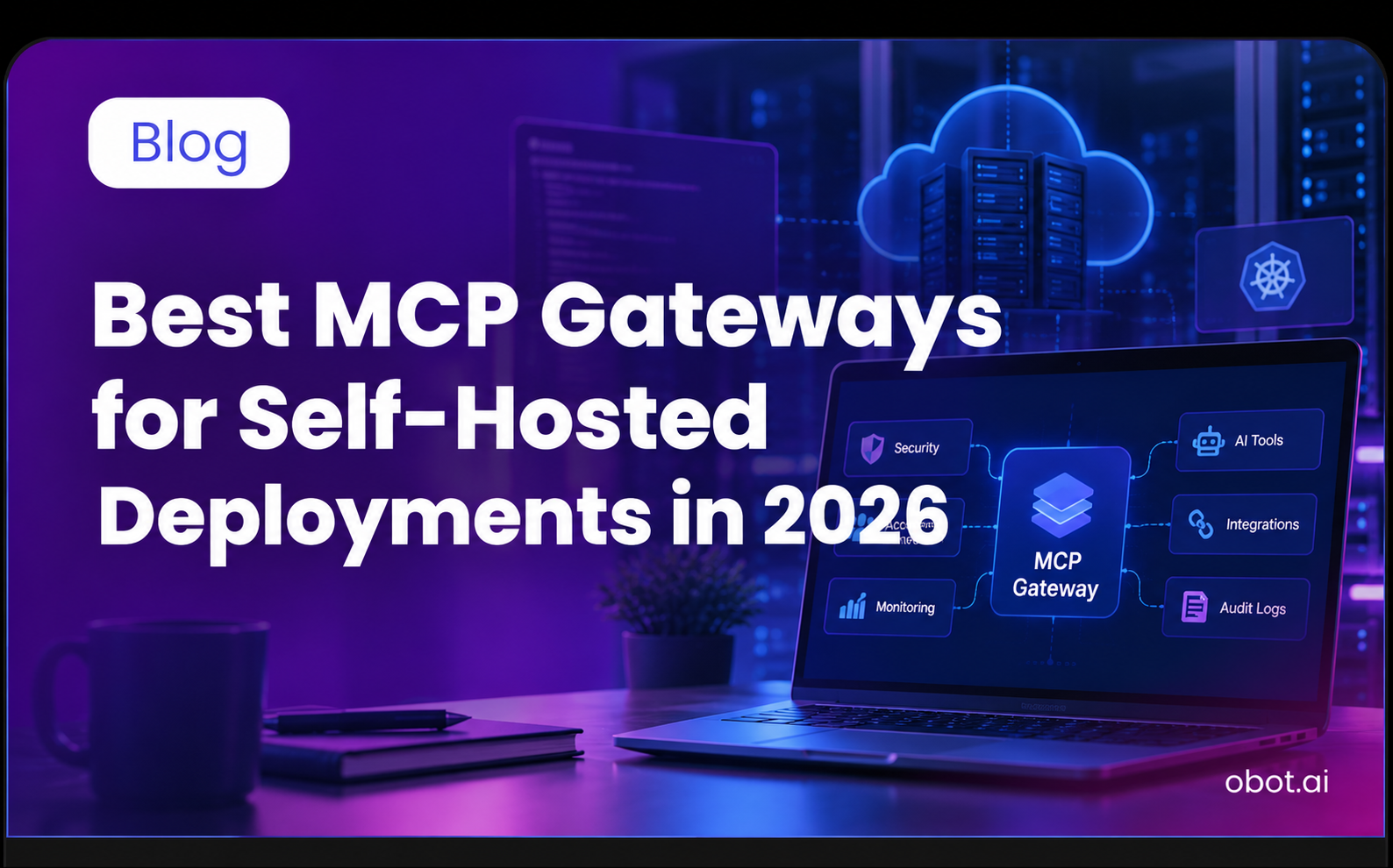
An MCP gateway changes that picture once more than one person or more than one server is involved. Instead of every client connecting to every server independently, with its own credentials and its own access assumptions, the gateway becomes the single point every client authenticates through, and the single point every server is registered behind. Centralized management then provides visibility into MCP server usage that individual, direct connections never could, because there’s finally one place to look instead of N places.
This is also where remote MCP server access gets handled consistently. A self-hosted server doesn’t have to live on the same machine as the client calling it; it can run on internal infrastructure and be reached remotely, but only safely if something in front of it is actually authenticating and authorizing that remote call, rather than trusting whatever reached the network port.
Obot: Self-Hosted Governance From Gateway to Device
Best for: Teams that need genuine self-hosting, not a VPC variant of a managed product, with enterprise-grade access control included.
Obot is our platform, so it gets its own section here rather than waiting at the top of the review list. It’s built as an Enterprise AI Control Plane around three jobs: define what agents can reach, choose where they run, and prove what they did. For a self-hosted deployment, that means a gateway you run yourself, a view into the MCP servers already on developer machines, and an option to keep agents off those machines entirely.
Gateway: Define What Agents Can Reach
Obot MCP Gateway is open-source under the MIT license and self-hostable on Kubernetes or Docker, with the identical codebase also available as a managed service. That matters for teams evaluating self-hosting specifically: there’s no feature gap between the self-hosted path and the hosted one, and no separate “on request” negotiation to get there.
The gateway enforces access control at the tool level rather than just the server level, so a single self-hosted deployment can serve multiple teams with different permission boundaries without duplicating infrastructure per team. Centralized OAuth2 authentication at the gateway edge means individual agents never handle raw credentials directly, which reduces the configuration-error surface that comes with managing credentials per server. Audit logging tracks every tool call and authentication event, giving self-hosted deployments the same complete audit trail a managed platform would provide, without sending that data anywhere external.
Key capabilities:
- MIT-licensed, genuinely self-hostable on Kubernetes or Docker, not VPC-only
- Tool-level access control, not just server-level
- Complete audit trails for every tool call and authentication event
- Integration with identity providers including Google and GitHub in the open-source build, with Okta and Microsoft Entra in the Enterprise edition, plus Okta SCIM provisioning since v0.27
- Active GitHub repository with regular releases
Device: Watch and Enforce With Obot Sentry
A self-hosted gateway governs what’s routed through it. The opening scenario, one local server becoming three, each with its own API key in an environment variable, happens on developer machines before anything reaches a gateway. Obot Sentry scans AI client configurations across Claude Code, Claude Desktop, Codex, Cursor, and VS Code, reports which MCP servers, skills, and plugins each machine loads, and can fail closed on servers that aren’t approved. None of the other gateways in this guide document that kind of device-level visibility.
Hosted: Claude Environments
Obot v0.27 added Claude Environments, hosted Claude Code environments that run under the same control plane, so an agent’s MCP connections come from policy rather than a local config file.
Where it fits and where it doesn’t: Obot is the strongest option for teams that specifically need self-hosting with no compromise on governance features. Teams that need out-of-the-box HIPAA documentation should evaluate MintMCP’s VPC option alongside it. Teams where raw gateway latency is the dominant constraint should compare against Bifrost.
Try Obot today — the open-source MCP gateway. Self-hostable, MIT licensed, full audit trail at every tool call.
From Local Development to Centralized Control: The Fastest Path to MCP Adoption at Scale
MCP is an open standard for AI tool integration, and MCP servers communicate over Streamable HTTP transport for remote connections or STDIO for local, same-machine execution. The protocol also lets AI agents discover and invoke reusable prompt templates and named resources, alongside tools, which is why “MCP server” covers more ground than just a wrapper around one API.
The path most teams actually take starts small. Local development on one machine, one MCP client, one server, connected over STDIO with no network exposure at all. That stage doesn’t need a gateway. It needs almost nothing beyond the server itself.
The fastest path to trouble is skipping the step in between. A team clones a git repository for a new server, runs it in a container, and exposes it over HTTPS so a second developer or a shared agent can reach it remotely. At that exact point, remote hosting turns a local convenience into a network-facing service, and an MCP gateway acts as the layer that should have been added at the same time: it functions as the middleware manager sitting between AI clients and backend servers, handling credential management so API keys aren’t scattered across configuration files, enforcing policy enforcement on what each identity can invoke, and giving IT the centralized control point that individual, direct connections never provide.
This is also where basic network segmentation and input validation on tool parameters start to matter operationally, not just as security theory. The command injection pattern behind a large share of 2026’s MCP CVE disclosures traces directly back to STDIO invoking a configured command string through the shell without checking it first, exactly the kind of check a gateway’s policy layer is positioned to add before a request reaches a backend server.
MCP adoption inside an organization tends to follow this same arc across every team that picks it up: local development first, then a rushed remote deployment, then, eventually, a gateway, once the rushed version causes a problem someone has to explain. Teams that put the gateway in place before the rushed middle step skip the retrofit entirely.
Hosted MCP Server vs. Self-Hosted MCP: Why Full Control Matters, and When It Doesn’t
The honest version of this comparison isn’t “self-hosted is always better.” It’s that the two solve different constraints, and picking based on which is easier to set up rather than which matches your actual requirement is how teams end up migrating later.
A hosted MCP server or fully managed platform removes operational burden. Someone else runs the infrastructure, patches it, and scales it. For a team without Docker or Kubernetes expertise on staff, or without a reason to keep data on-premises, that tradeoff is often the right one, and it’s a legitimate answer to “where are MCP servers hosted” for a large share of production deployments in 2026.
Self hosting earns its complexity when data sovereignty, compliance, or full control over the security policy stack is a real requirement, not a preference. Financial services, healthcare, and defense-adjacent teams routing agent traffic through a third party server may simply not be permitted to, regardless of how convenient the managed option is. For those teams, self-hosting isn’t the harder option chosen for its own sake. It’s the only option that satisfies the constraint they’re actually working under.
GitHub Copilot, Claude Desktop, and Other AI Clients: A Complete Guide to What Connects
Any MCP-compliant MCP client can reach a self-hosted server, and that list has grown well past Anthropic’s own products. Claude Desktop was first, but GitHub Copilot’s agent mode, Cursor, and a growing set of AI assistants all speak the same protocol, which is the point of a shared standard: the client doesn’t need to know or care whether the server behind it is self-hosted, remote-hosted, or running on the same machine.
What does need to be configured on the gateway side is identity. A production gateway ties each connecting client back to a client ID issued through OAuth client registration, preferably with Client ID Metadata Documents, which the 2026-07-28 specification recommends over the now-deprecated dynamic client registration, and treats identity access control as a first-class concern rather than an afterthought bolted onto routing. That’s what lets different teams inside the same organization connect through the same self-hosted gateway, from GitHub Copilot, Claude Desktop, or another client, while still enforcing separate permission boundaries per team rather than one flat set of access rules for everyone.
Enterprise features like SSO integration and provisioning from an identity provider extend that further. Some platforms, MintMCP among them, support SCIM-driven RBAC specifically, provisioning and de-provisioning access automatically as people join or leave a team rather than requiring manual updates in the gateway itself. Obot added Okta SCIM provisioning in v0.27. That’s a genuinely useful pattern for organizations with different teams onboarding and offboarding regularly, though it’s not something every self-hosted gateway ships with.
Evaluation Criteria for Self-Hosted Deployments
A features checklist misses the criteria that actually separate a self-hosted deployment that scales from one that gets rebuilt in a year.
Docker or Kubernetes readiness on your team, not just in the product. Self-hosting MCP gateways requires real operational capacity: someone who can run, patch, and scale a containerized or Kubernetes-native service. A gateway that’s technically self-hostable is still the wrong choice if nobody on the team can operate it.
Identity integration with what you already run. OAuth2 authentication enforced at the gateway is close to table stakes at this point, but the more important question is whether that authentication integrates with an identity provider your organization already uses, rather than introducing a second, parallel identity model to maintain.
Licensing, honestly read. MIT and Apache 2.0 licensed gateways give a self-hosting team full code visibility and no vendor lock-in. Some platforms offer self-hosting only “on request” or as a VPC-hosted variant of a managed product, which is a materially different commitment than a genuinely open-source, self-hostable codebase.
Cost at the infrastructure level, not the license level. A gateway being open-source doesn’t mean it’s free to run. Commodity VPS compute in 2026 runs from roughly $2 to $20 per vCPU per month depending on provider and commitment level, and a self-hosted gateway’s real cost is that compute plus the engineering time to operate it, not just the absence of a license fee.
Latency under your actual call chain. Published gateway benchmarks vary enormously by architecture: Go-native gateways report microsecond-level overhead, in-memory policy engines report sub-5ms p95 overhead, and gateways that run deep-inspection security scanning report 100 to 250ms overhead. None of those numbers transfer to your deployment until you benchmark against your own call chain depth. Separately, a self-hosted server reached over an internal network, rather than through a gateway’s own processing, typically adds somewhere in the range of 10 to 50 milliseconds of network round-trip time depending on topology; this is a general networking expectation rather than a figure from a specific MCP benchmark, and it’s additive to, not the same as, whatever overhead the gateway itself introduces.
What “productivity gains” claims actually mean. MCP infrastructure vendors frequently cite productivity gains in the 35 to 40% range for development teams after adopting a gateway. Worth being direct about where that number comes from: it appears in vendor blog posts describing their own platforms, without a named independent study, published methodology, or sample size behind it. Treat it as a directional claim from interested parties, not a verified benchmark, and validate any specific figure against your own team’s before-and-after metrics rather than a vendor’s marketing page.
Client ID, resources, and how you configure identity. When you deploy a self-hosted gateway, part of the setup is configuring how MCP clients register and authenticate, including how each client’s ID is issued and how tool descriptions and named resources are exposed per role. Getting this configuration right once at deployment is measurably less work than retrofitting it after several teams are already connected.
Decision Framework
| Deployment context | What matters most | Best fit |
|---|---|---|
| Agents and MCP servers running on developer laptops | Visibility into local MCP configurations, fail-closed enforcement on the device | Obot (Obot Sentry) |
| Compliance-first but still wants VPC-hosted data control | SOC 2 Type II, HIPAA readiness, VPC deployment option | MintMCP |
| Security-scanning layer on top of an existing gateway | Threat detection, reputation-based server scoring | Lasso Security |
| Already running Kong for API management | Platform consolidation, familiar operational model | Kong AI Gateway |
| Individual developer, local development only | Free, containerized, no production claim | Docker MCP Gateway |
| Large org, multiple independent gateway deployments | Multi-cluster federation, cross-gateway health monitoring | IBM ContextForge |
| Latency-critical, deep sequential tool call chains | Go-native performance, microsecond overhead | Bifrost |
| Regulated data, full data sovereignty required | MIT/Apache license, no third-party routing, complete audit trails | Obot |
Data reflects publicly available information as of mid-2026.
Self-Hosted MCP Gateways Reviewed
Obot MCP Gateway
Covered in detail in the Obot section above: MIT-licensed and genuinely self-hostable on Kubernetes or Docker, tool-level access control, complete audit trails, and Obot Sentry for MCP servers configured on developer machines.
Bifrost by Maxim AI
Best for: Self-hosted deployments where gateway latency is the binding constraint.
Bifrost is Go-native and open-source under Apache 2.0, reporting microsecond-level overhead at high request volumes on standard hardware. For a self-hosted deployment with long sequential tool-call chains, where each hop’s overhead compounds, that architecture advantage is real and measurable.
The tradeoff is governance depth. Bifrost is built for developer velocity and performance first. Enterprise-grade RBAC and compliance-oriented audit trails are lighter than purpose-built governance platforms, so teams that will eventually hand a self-hosted Bifrost deployment to a security or compliance team should plan for what needs to be layered on top.
IBM ContextForge
Best for: Large organizations self-hosting multiple independent MCP gateway deployments that need coherent oversight across them.
ContextForge is IBM’s open-source MCP gateway, built for the specific complexity of federated self-hosted environments: Redis-backed multi-cluster federation and health monitoring across gateway instances that most single-gateway products don’t address.
The honest caveat: ContextForge is Python-based, which introduces higher baseline latency than Go-native alternatives, and there’s no official commercial support. It’s a strong self-hosted option specifically for organizations with a platform engineering team that can own operating it long-term.
Docker MCP Gateway
Best for: Individual developers self-hosting MCP servers for local development, not production.
Docker’s gateway ships inside Docker Desktop’s MCP Toolkit and solves the real problem of running multiple local MCP servers without managing dependencies and security exposure for each one independently. Container isolation with restricted privileges by default is a genuinely clean local development model.
It’s not a production self-hosting answer. There’s no centralized dashboard, no organization-wide RBAC, and no compliance-grade audit logging. Teams almost always outgrow it once self-hosting moves from a single developer’s machine to a shared, production deployment.
Kong AI Gateway
Best for: Organizations already self-hosting Kong for API management that want to extend it to MCP traffic.
Kong’s Apache 2.0 core is genuinely self-hostable, and MCP support has been added through plugins rather than a native rebuild. For teams already running Kong, that’s a familiar operational model extended to MCP with limited new investment.
What it doesn’t provide natively is MCP-specific threat detection: prompt injection through tool descriptions and tool poisoning aren’t in Kong’s default threat model, which means self-hosted Kong deployments handling sensitive MCP traffic typically need additional security tooling layered on top.
Lasso Security
Best for: Self-hosted deployments that need an MCP-specific threat detection layer on top of an existing gateway rather than a full replacement.
Lasso’s open-source MCP gateway is genuinely self-hostable and focuses on real-time monitoring of tool invocations for prompt injection, tool description manipulation, and server reputation risk, checked against sources like npm and Smithery before a server is even loaded.
The scope is narrower by design. Lasso is a security layer, not a full governance platform with RBAC and compliance audit trail features built in. Teams typically pair it with a primary self-hosted gateway rather than running it alone.
Try Obot today — the open-source MCP gateway. Self-hostable, MIT licensed, full audit trail at every tool call.
Where Managed-Only Platforms Fit Instead
Not every strong MCP gateway is a fit for a self-hosting requirement, and it’s worth naming that plainly rather than forcing a comparison that doesn’t hold up. Amazon Bedrock AgentCore is serverless and IAM-native by design; there’s no self-hosted deployment path because the product is the managed AWS service. Composio is built around a managed integration library; self-hosting isn’t the model it offers. TrueFoundry and MintMCP sit in between, offering VPC-hosted deployment as a middle ground between fully managed and fully self-hosted, which is a reasonable answer for teams that want data control without owning Kubernetes operations, but it’s a different commitment than running the software on infrastructure you fully control.
Feature Comparison Table
| Feature | Obot | Bifrost | IBM ContextForge | Docker MCP Gateway | Kong AI Gateway | Lasso |
|---|---|---|---|---|---|---|
| Device-level visibility (developer machines) | Obot Sentry | Not stated | Not stated | Not stated | Not stated | Not stated |
| Production-ready out of the box | Yes | Yes, latency-focused | Requires platform team | Local dev only | Yes, for existing Kong users | As an add-on layer |
| Identity provider integration | Google, GitHub (OSS); Okta, Entra (Enterprise) | Limited | Yes | No | Yes | No |
| Audit logging | Complete | Yes | Yes | Basic | Yes | Yes |
| Tool-level access control | Yes | Limited | Yes | No | Limited | No (security-focused) |
| License | MIT | Apache 2.0 | Apache 2.0 | Apache 2.0 | Apache 2.0 core | Apache 2.0 |
| Genuinely self-hostable | Yes | Yes | Yes | Yes (local) | Yes | Yes |
Pricing Overview
| Gateway | Free / open-source tier | Paid tiers | Enterprise |
|---|---|---|---|
| Obot | Free (self-hosted, MIT) | Managed service tiers available | Yes |
| Bifrost | Free (open source) | Maxim AI platform: contact for pricing | Yes |
| IBM ContextForge | Free (open source) | No commercial offering | IBM support contracts |
| Docker MCP Gateway | Free | Free (Docker Desktop licensing applies) | Via Docker Business |
| Kong AI Gateway | Open-source (Konnect free tier) | Konnect Plus from roughly $250/mo | Yes |
| Lasso Security | Open-source core (MIT) | Enterprise platform: contact for pricing | Yes |
Data reflects publicly available information as of mid-2026.
What a Real Self-Hosted Incident Looked Like
In March 2026, Pluto Security disclosed a critical vulnerability in nginx-ui’s self-hosted MCP integration, and the details are a useful reality check for anyone assuming self-hosting is inherently safer. The integration split traffic across two endpoints: one for session setup, correctly gated behind an IP allowlist and auth middleware, and one for actual tool invocation, including configuration writes and server restarts, that shipped with no authentication at all. Shodan found more than 2,600 publicly exposed instances running the vulnerable configuration.
Nothing about that incident required the server to be hosted by a third party. It was self-hosted, and it was still exposed, because self-hosting controls where the data lives, not automatically whether the request is governed. That distinction is the entire argument for pairing a self-hosted MCP server with a gateway that centralizes authentication and policy, rather than treating “we host it ourselves” as a security control on its own.
FAQ
What is MCP, in one sentence?
MCP, the Model Context Protocol, is an open standard for AI tool integration: it defines how AI agents discover and invoke tools, read named resources, and use reusable prompt templates, communicating over Streamable HTTP for remote connections or STDIO for local execution.
What does it mean to self-host an MCP server?
Self-hosting an MCP server means running the server process, typically Node.js or Python, on infrastructure you control rather than using a third-party managed endpoint. It keeps data and credentials inside your own environment, but it does not by itself provide authentication, access control, or audit logging across multiple servers, which is what a gateway adds.
Where are MCP servers hosted in a typical production deployment?
It varies by organization. Some run entirely self-hosted on internal Kubernetes or Docker infrastructure for data sovereignty reasons. Others use a hosted MCP server or managed platform for operational simplicity. Many run a mix: self-hosted servers for internal, sensitive systems, and managed or third-party servers for external SaaS integrations.
Do I need a gateway if I’m already self-hosting my MCP servers?
Past a single developer’s setup, yes. Self-hosting solves where the data lives. It doesn’t solve who’s authenticated, what they’re authorized to do, or whether there’s an audit trail, which is exactly the gap that showed up in the nginx-ui incident despite the integration being self-hosted.
What’s the difference between a self-hosted MCP gateway and a VPC-hosted one?
A genuinely self-hosted gateway runs on infrastructure you fully operate, with source code you can inspect and modify. A VPC-hosted option, offered by some managed platforms, keeps your data inside your cloud account but the software itself is still operated by the vendor. Both give data control; only the first gives full operational and code control.
How much does it cost to self-host an MCP gateway?
The software itself is typically free for open-source options like Obot, Bifrost, or IBM ContextForge. The real cost is infrastructure plus engineering time: commodity VPS compute runs roughly $2 to $20 per vCPU per month depending on provider, and someone on the team needs the Docker or Kubernetes expertise to operate the deployment.
Which MCP clients work with a self-hosted MCP server?
Any MCP-compliant client can connect to a self-hosted server, including Claude Desktop, GitHub Copilot’s agent mode, Cursor, and other AI assistants that implement the Model Context Protocol. The client doesn’t need to know whether the server is self-hosted or managed; that distinction lives entirely on the server and gateway side.
Is self-hosting an MCP gateway hard to operate?
It depends on the gateway. Products designed for self-hosting from the start, like Obot, document Kubernetes and Docker deployment patterns clearly and use the same codebase whether self-hosted or run as a managed service. Products where self-hosting is an afterthought or an “on request” option tend to have a rougher operational path.
What is the latest MCP specification revision, and does it affect self-hosted deployments?
The current revision is 2026-07-28, the largest change since MCP launched. It made the protocol stateless, removing the initialization handshake and protocol-level sessions so each request carries its own version and capabilities, and it deprecated dynamic client registration in favor of Client ID Metadata Documents. It doesn’t change the core self-hosting tradeoff, but confirm that your self-hosted servers and gateway support the revision your clients use, and that your authorization server supports Client ID Metadata Documents.
The Complete Guide Checklist: Before You Self-Host
A short list to run through before committing infrastructure and engineering time to a self-hosted deployment:
- Confirm someone on the team can actually operate Docker or Kubernetes long-term, not just stand it up once.
- Confirm the gateway you’re evaluating is genuinely self-hostable, not a VPC-hosted variant offered “on request.”
- Confirm identity provider integration matches what your organization already runs, rather than adding a second identity model.
- Confirm audit logging captures every tool call with enough context to answer a security review’s questions, not just that a connection occurred.
- Benchmark latency against your own call chain depth before choosing based on a vendor’s published number.
Conclusion
Self-hosting an MCP server is a legitimate, often necessary choice for teams with real data sovereignty or compliance requirements. It is not, on its own, a security control. The gateways worth evaluating for a genuinely self-hosted deployment in 2026 are the ones that treat governance, identity integration, and audit logging as part of the self-hosted product itself, not as a feature gap between the self-hosted and managed versions.
Every agent under policy. Every action on record. Obot MCP Gateway is open-source under the MIT license, self-hostable on Kubernetes or Docker, and available as a managed service running the identical codebase. Try it free, read the docs, or talk to the team.